NETGEAR is aware of a growing number of phone and online scams. To learn how to stay safe click here.
Forum Discussion

SeraphSephiroth
Jul 09, 2023Aspirant
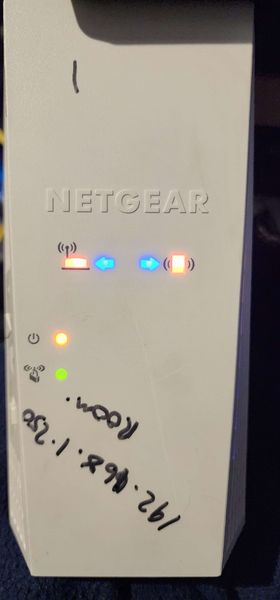
All lights on, can't reset EX6250
You know how they say if you turn it off and back on again, chances are it will work? Well in this case it seems to have had the opposite effect. I switched off the extender during a routine network...

schumaku
Jul 10, 2023Guru - Experienced User
SeraphSephiroth wrote:
...
I switched off the extender during a routine network reset, and when I turned it back on again, all the lights came on and it won't do anything. Plugging it in via ethernet shows a green link light.
There you go: Usually if its blinking green, something went wrong during the update and its stuck. You can force install the firmware to the device. Any time you do an update I recommend doing it over a hardwired connection. I know the option is there to auto update but most of the problems happen from that features. To force the firmware to it, you have to use a tftp procedure.
https://kb.netgear.com/000059634/How-to-upload-firmware-to-a-NETGEAR-router-using-Windows-TFTP
also make sure to enable tftp from within windows 10 (if thats what you're using)
- SeraphSephirothJul 10, 2023Aspirant
Thanks for the reply!
So far as I know, there was no update going on with the extender when I turned it off. I only tried to update it when it stopped working.
I tried all of the steps that were linked, and it didn't work. I constantly got Connection Timed Out.
I tried tftp and nmrpflash and neither worked.