NETGEAR is aware of a growing number of phone and online scams. To learn how to stay safe click here.
Forum Discussion

anonim
Mar 18, 2013Aspirant
connecting netgear wg 102 to an existing access point
hello,
i have problems to configure my wg 102.
i want to connect it to an axisting wireless network.
main access point configured as ap (D-Link 2000+ AP)
ssid broadcast disabled
no mac filter activated
authentification: open system
wep enabled - 128bit
channel 13
other side (D-Link DWL 810+ wireless bridge): is working
AP mode: infrastructure
ssid: same as main ap
WEP: same as main ap
maybe someone can help me to configure my netgear wg102 like DWL 810+ bridge
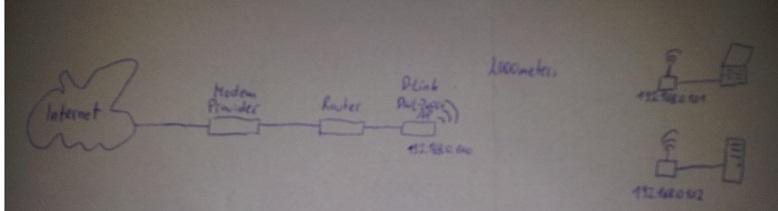
i have problems to configure my wg 102.
i want to connect it to an axisting wireless network.
main access point configured as ap (D-Link 2000+ AP)
ssid broadcast disabled
no mac filter activated
authentification: open system
wep enabled - 128bit
channel 13
other side (D-Link DWL 810+ wireless bridge): is working
AP mode: infrastructure
ssid: same as main ap
WEP: same as main ap
maybe someone can help me to configure my netgear wg102 like DWL 810+ bridge
3 Replies
 anonimAspirantthx for your document.
now i configured:
right ip address 192.168.0.102; 255.255.255.0; 192.168.0.1
channel 13
ssid
authentification: open system
encryption: WEP
Wireless Client Security Separation: disabled
enabled wireless bridging and repeating on security profile 1
repeater with wireless client association (parent MAC - of main station)
do i have to enable 'turn access control on' and add stations
available wireless station list is empty jmizoguchiVirtuososetup looks good.
Mixing manufacture is always an issues.
I would pick WN2500rp extender instead of of repeat and use WEP
Extender keeps WPA2 makes more safer and also better compatible with other wifi devices