NETGEAR is aware of a growing number of phone and online scams. To learn how to stay safe click here.
Forum Discussion

randydeb
Jul 30, 2026Aspirant
EAX15v3 with WAX630 Wifi bridge
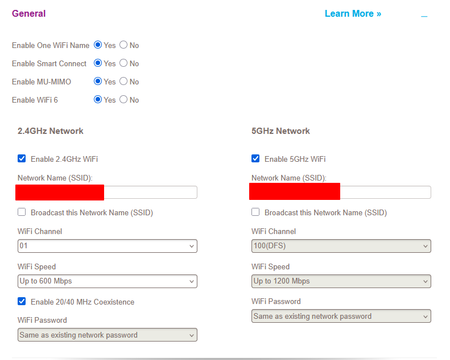
Hi, I need some help with setup for a Wifi Bridge. I have a `WiFi 6 AX6000 Tri-Band Multi-Gig Access Point (WAX630)` connected to my router. This is placed in the garage and provides great w...
randydeb
Jul 30, 2026Aspirant
StephenB , i'm not using MAC ACL.
I don't understand the solution of the smart switch. How can that solve the issue?
Currently there is a GS308EPP managed switch between the router and AP (forgot to mention in original post)
This one is set to Basic 802.1Q VLAN with the following config, where router is connected to port 1, AP to port 7.
On the EAX15v3 ethernet port i connected aGS108 switch, to support connecting multiple wired devices, but also tested the setup by connect device directly to the EAX15v3
Still have some spare `GS108E` managed switches that i can connect to the EAX15v3 in case that could solve the issue.
Issue might have something to do with VLANs? As the AP broadcast an SSID per VLAN, i would suspect the WIFI client should not be VLAN aware?
Kind regards,
Randy

StephenB
Jul 31, 2026Guru - Experienced User
randydeb wrote:I don't understand the solution of the smart switch. How can that solve the issue?
Currently there is a GS308EPP managed switch between the router and AP (forgot to mention in original post)
I was thinking the goal was to get an ethernet port at/near the AP location. Reading again, I am seeing that the goal is to get ethernet somewhere else.
randydeb wrote:Issue might have something to do with VLANs? As the AP broadcast an SSID per VLAN, i would suspect the WIFI client should not be VLAN aware?
WiFi clients (including the EAX15v3) would not see the VLAN. The AP should be handling the VLAN tag.
I am suspecting that the problem might be the DHCP broadcast to unicast setting in the AP, though I am not seeing exactly why. I'd try disabling that setting next.
That setting tells the AP to convert the DHCP broadcast response from the router to a layer-2 unicast response using the requester's MAC address. In this particular situation, I am not sure whether the AP would use the extender's MAC address or the translated MAC address of the PC.
- If it is using the extender's MAC, then the extender would process the response itself and never send it on to the PC.
- If it is using the translated client address, then I am thinking the AP then might not know that it needs to send the response to the extender.