NETGEAR is aware of a growing number of phone and online scams. To learn how to stay safe click here.
Forum Discussion

mattbergman12
Jun 11, 2020Aspirant
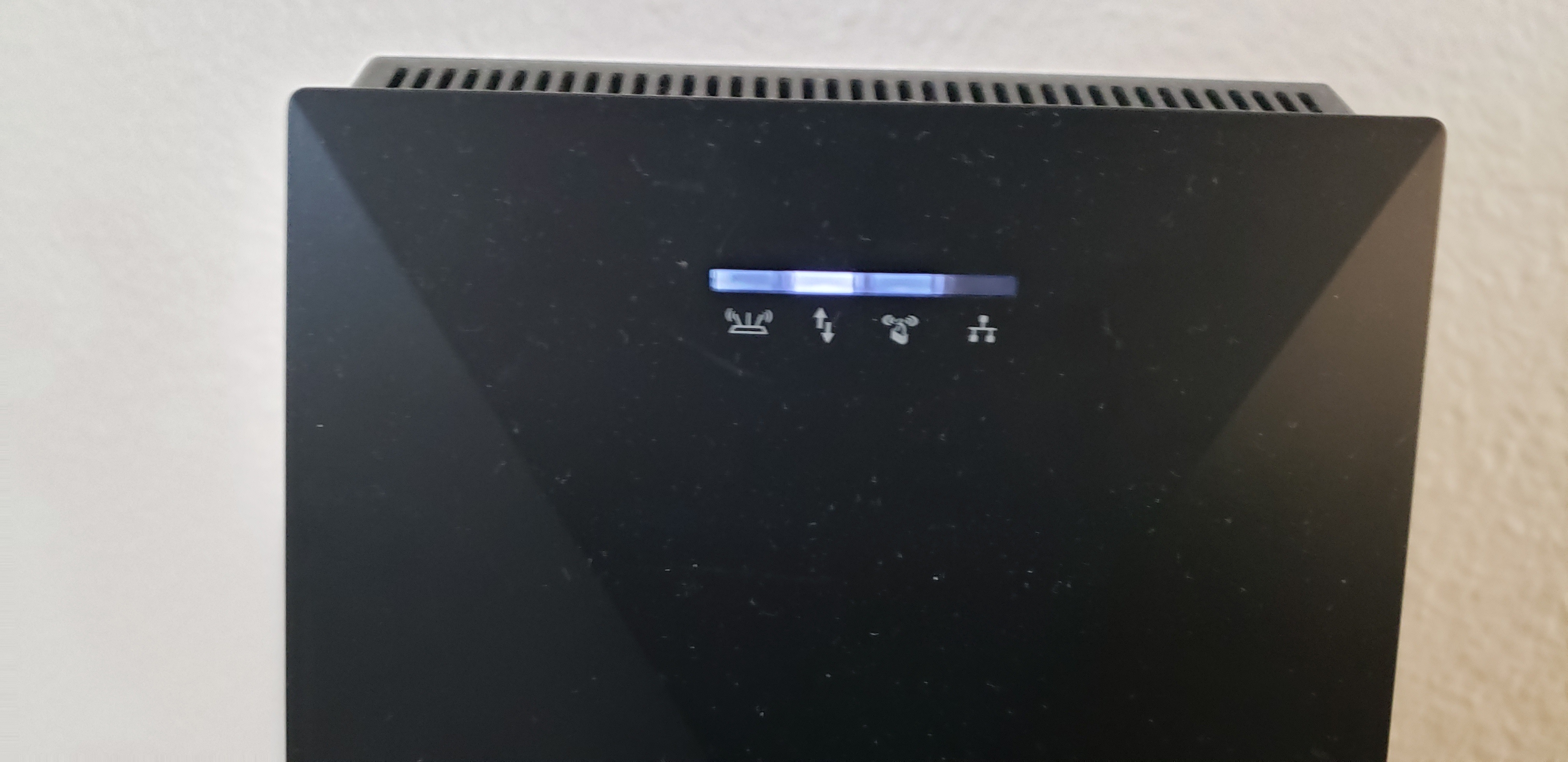
EX7700 X6 WiFi Mesh Extender faint status lights
Router: Netgear Nighthak Model C7000 WiFi range extender: Netgear Nighthawk EX7700 X6 Tri-Band Mesh Extender SSID (network name) and Password on the Router and Extender are the same. Problem: #1 - On the Extender, Router link (WiFI connection established between Router and Range Extender) is faint White. #2 - On the Extender, WPS LED (extended network is enabled with WiFi security (either WPA or WPA2) is faint white Environment; Router is downstairs and Mesh Extender is upstairs. Also, the Client Link LED (shows if there is a wifi device (phone, laptop etc.) connected to it, this status light is distinctly brighter white when compared to the other status lights. RJ45 (Ethernet cable connection) is not connected, not configured as an Access Point. When I log into either my Router or Extender using my laptop it shows that my Extender is connected to my Router. I am also seeing wifi devices that look like they are connected to both my Router and Extender, are they really connected to both? Of course I would prefer to use the Extender as an Access Point but routing a RJ45 cable through the walls to make a connection to the Router is not easy and would be a last resort even though I know it will give the strongest signal. So back to the indicator lights, is a faint white just as good as a distinctly bright white light? I have the manual and there is no mention of faint anything, you should have; White (best wifi connection), Amber (Good wifi connection), Red (Poor connection), or Off (no connection). So I am leaning towards the light simply doesnt work and the faint white that I am seeing is just bleed over from The Client Link LED white light which is distinctly white. Anyone, thoughts or ideas on this? R/ Matt B
2 Replies
- plemansGuru - Experienced User
It might be bleed over. My EX8000 gets bleed over from the other leds.
Is it causing an issue or are you having problems with it?
You will get devices showing up on both router and modem because devices can switch between them as well as devices that are connected to the extender are connected to the router as well through the extender.
- mattbergman12Aspirant
Well Internet connectivity complaints are fairly frequent coming from my kids, keep in mind that they are playing video games or streaming videos (lots of bandwidth). Also we are talking about wifi as opposed to a hard line connection which introduces all kinds of variables. So between their complaints, and my own occasional connectivity issues it has made me hyper aware as to the internet status. So consider all of that and then I notice the lights on the extender issue causing an alertness on my part I started to maybe unnecessarily impart myself on a mission to once in for all fix the connectivity problems. This is where I started looking for ways to route an RJ45 cable through the walls. And because I think it is going to be a big pain in the ass I am questioning myself again with the wifi connection.