NETGEAR is aware of a growing number of phone and online scams. To learn how to stay safe click here.
Forum Discussion

jpcjguy
Aug 08, 2022Guide
Help with Extender/Router setup
Hi Everyone, So I have the current setup in my house. I use Comcast(Xfinity) as my provider and have a Motorola cable modem. The modem connects to a Netgear AC1750 Smart Wifi Router Model R6400v...

jpcjguy
Aug 08, 2022Guide
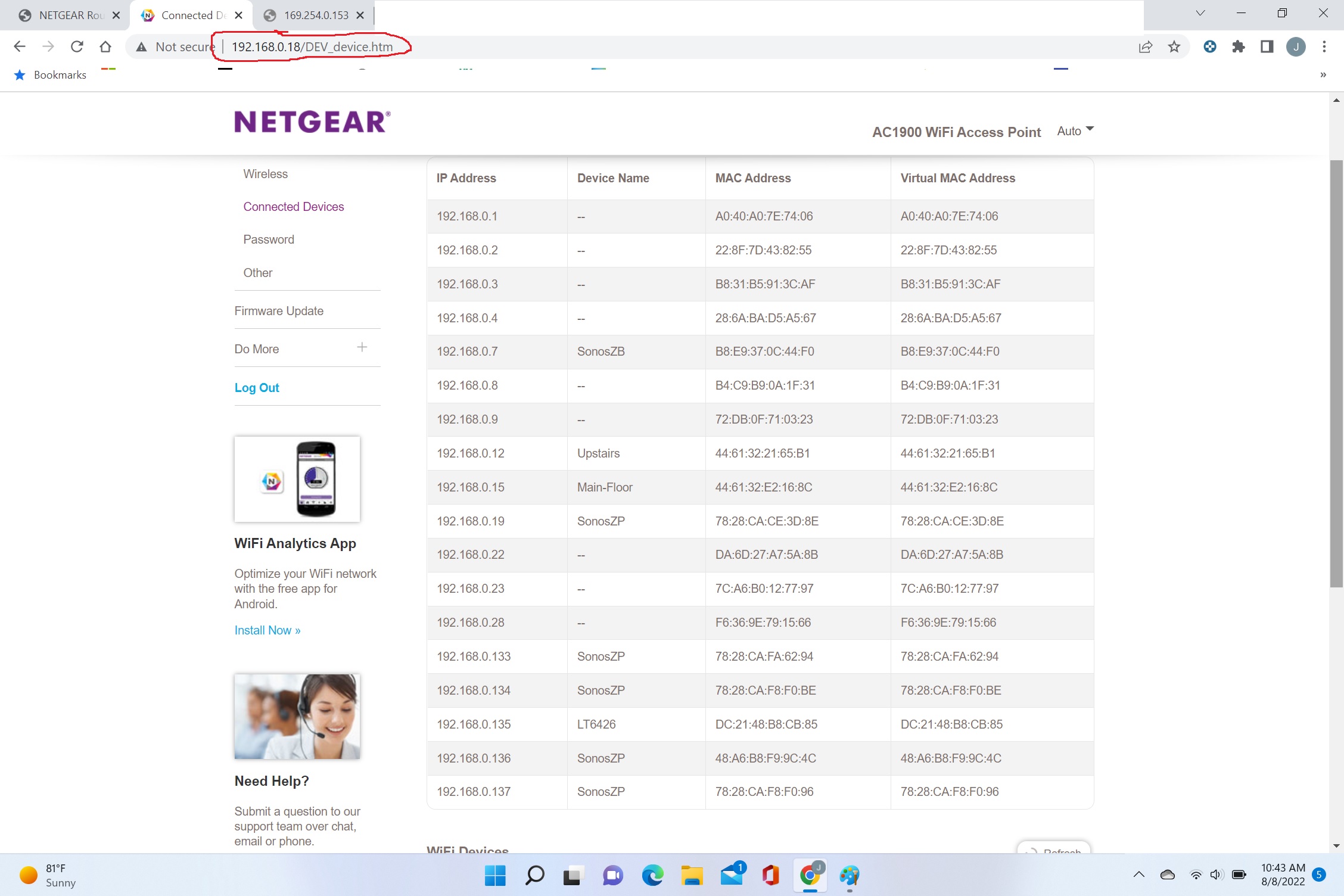
Garage Extender attached devices.

plemans
Aug 08, 2022Guru - Experienced User
it could be the router lost its config because the extender isn't the only one outside of the 0.1-0.100 range.
Is there a reason you set a more narrow range?
It could be the storm corrupted something (not the first time I've seen that).
Or it could be the generator was a non-sine wave device and caused issues.
You might try factory resetting the router and re-doing its setup in case something was corrupt.
- jpcjguyAug 08, 2022Guide
Plemans,
Great point! I did not even realize the others were also out of range - duh! I was so focused on the one. My generator is a classic older 8000W running one - not a sine wave one - it powers majority of the house (not HVAC and electric water heater).
As for the range, I figured 100 was plenty. We have around around 20 devices and when people are over and want to use the wifi - I figured that range was enough...
I will try a factory reset. The main router is on a surge protector: https://www.amazon.com/gp/product/B0000AI0NC/ref=ppx_yo_dt_b_search_asin_title?ie=UTF8&psc=1
- plemansAug 08, 2022Guru - Experienced User
Let me know how it goes after the reset/reinstall.
- jpcjguyAug 08, 2022Guide
Plemans,
I did a factory refresh on the router and the extender in the garage. I set the extender up as an access point since it is "hardwired" to the router through a fiber cable underground. I believe that is better than setting it up as a wifi extender.
Everything looks ok. To make sure I understand this correctly - when I am in the house, my laptop connects to the router and displayed as a wireless connection in "attached devices". However, when I take my laptop in the detached garage (and my phone), they should connect to the access point out there since it is a stronger signal. BUT when I am logged into the ROUTER, and look at "attached devices", both the laptop and the phone are showing as "wired" connection, even though they are clearly not. I assume that is because the laptop and the phone, even though wirelessly connected to the access point, "appear" to the router as wired - since their traffic is coming through the fiber cable to the router. I have that correct?
I have not messed with the other extender yet. I moved my Sonos Boost to a hardwired connection on the router, so technically I don't need this extender anymore. Correction - I have an old HP Laserjet 4P printer (circa 1994) that I love that does not have wifi so I have a parallel port print server (StarTech.com PM1115P2) connected to the printer. This was connected to the extender upstairs along with the Sonos. But now I run the ethernet cable right to the printer adapter and bypass the extender.