NETGEAR is aware of a growing number of phone and online scams. To learn how to stay safe click here.
Forum Discussion

Wernfried
Jan 21, 2017Aspirant
Admin page not shown properly
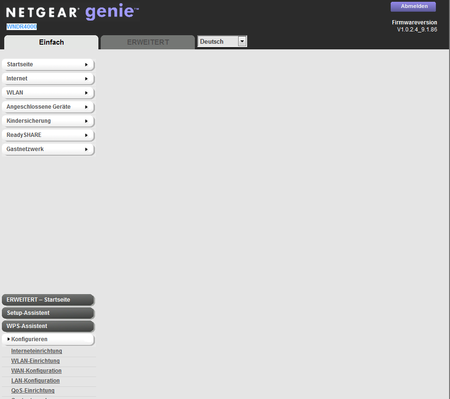
I have a problem with admin page of my router. After loggon I see page like this, the overview panels are missing and menues are disarranged. It applies on Firefox and MS Explorer. Do I ha...
- Feb 09, 2017
Actually I found the solution. In Kasperski you have to go to
Settings -> Advanced -> Network ->
Disable checkbox for "Inject script into web traffic to interact with web pages"
Best Regards
Wernfried
Wernfried
Jan 24, 2017Aspirant
Obviously it is related to my Kaspersky Internet Security.
Kaspersky Internet Security is not installed on my business laptop and it works fine when I disable Kaspersky Internet Security temporarly.
Now the tricky question is: Which option/feature I have to disable, resp. where I have to define exception rule?
Best Regards

ElaineM
Jan 24, 2017NETGEAR Employee Retired
Try to see if the instructions from this article will help.
- WernfriedJan 24, 2017Aspirant
I also found this article bit it dit not work
Wernfried
- ElaineMJan 24, 2017NETGEAR Employee Retired
Based from what I read, Kaspersky's asking users to change their LAN IP address to 192.168.2.1.
Can you try that?
Access the admin page and change it under Advanced > Setup > LAN Setup
- WernfriedJan 24, 2017Aspirant
I get the same error when I enter IP address directly instead of "http://www.routerlogin.net/" - anyway, the admin page does not work, I cannot change any settings on my router.