NETGEAR is aware of a growing number of phone and online scams. To learn how to stay safe click here.
Forum Discussion

wmadill
Oct 02, 2015Aspirant
Guest login on second WNR1000v3 as access point does not connect to Internet
I have a WNR1000v3 (firmware V1.0.2.68_60.0.93NA) connected to the WAN and it is running fine. It's IP address is 192.168.0.1, subnet mask 255.255.255.0, gateway 192.168.0.1, and DNS servers are set ...
- Oct 06, 2015storm1985 I suspect your configuration means all the LAN ports on the second router will also only route to the Internet. But this gives me a great idea to use yet another router just as a wireless access point for the guest login. (I seem to accumulate old routers!) Unfortunately, I don't have time to try this out until later in the week but I'll definitely do so and report back. Thanks!
wmadill
Oct 05, 2015Aspirant
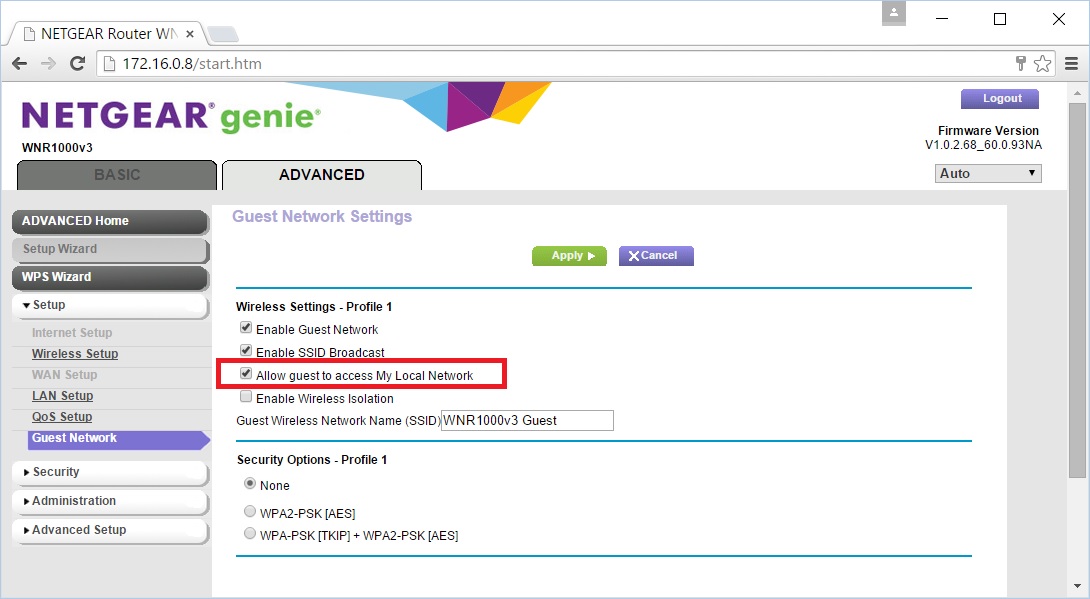
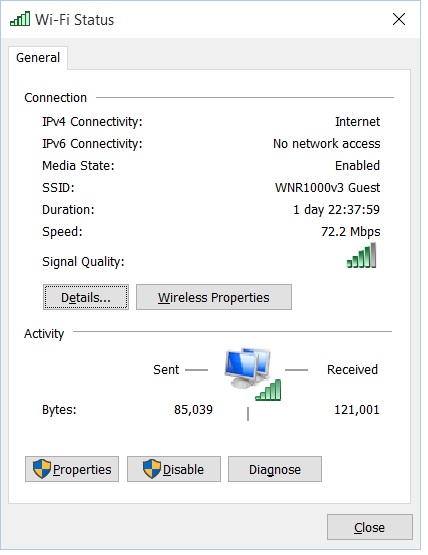
Thanks for the configuration idea. If I check the "Allow guest to access My Local Network", I can indeed get on the Internet. Hooray! However, I can also get to any other device on the LAN which makes the guest login useless for my needs. Boo! I wanted to give visitors an open wireless connection that only let them get to the Internet and prevented them from even seeing what else is on the LAN. I'm about to give up on this for now. :( Thanks everyone for your ideas! Bill
 storm1985Oct 06, 2015Prodigy
wmadill Yeah i am expecting this response from you since you will be using Guest network the guest should be separated and cant access the LAN network but can only get Internet access.
Here's the solution.
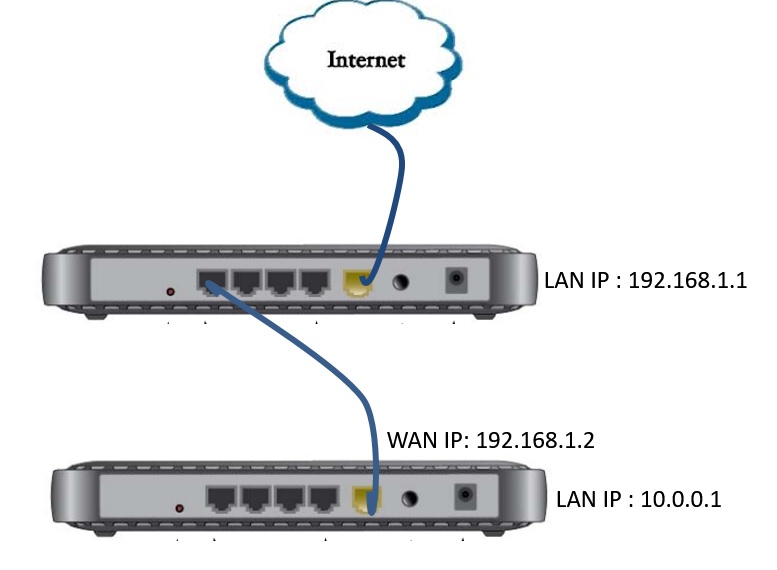
Set the 2nd router to just a router mode not an AP mode. 2nd router Guest network can no longer access the main network but on this setup the 2 routers will have separate subnet.
Ex.
Router1 LAN IP = 192.168.1.x /24 (router mode)
Router2 WAN IP = 192.168.1.XRouter2 LAN IP = 10.0.0.x/24 (router mode)
- wmadillOct 06, 2015Aspirantstorm1985 I suspect your configuration means all the LAN ports on the second router will also only route to the Internet. But this gives me a great idea to use yet another router just as a wireless access point for the guest login. (I seem to accumulate old routers!) Unfortunately, I don't have time to try this out until later in the week but I'll definitely do so and report back. Thanks!
- storm1985Oct 06, 2015Prodigy
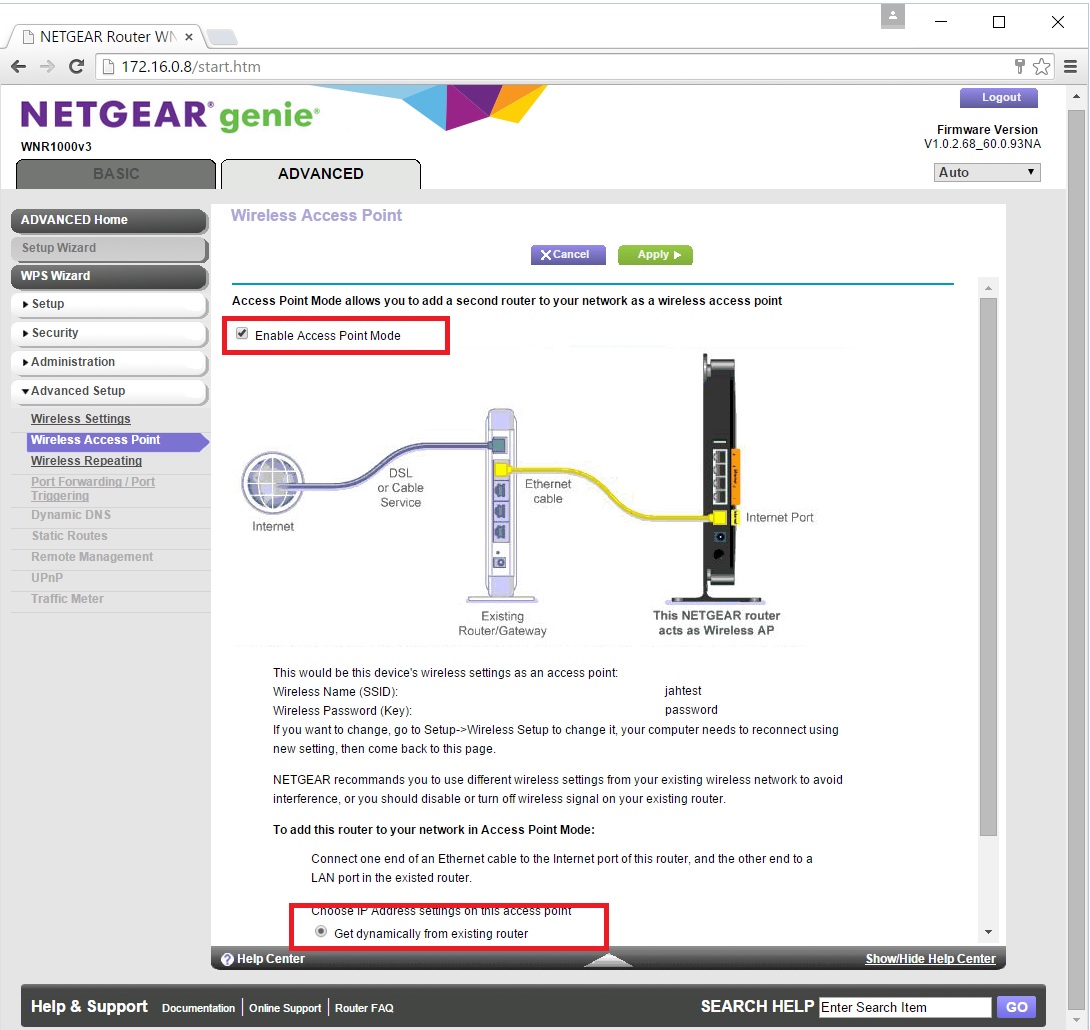
Disable AP mode on Router2. Once disabled, Router2 should automatically change it's IP address to another subnet from Router1 if not changing you can manually change the LAN IP to any other subnet you wish. Internet and Guest Network should work normally as expected.
- wmadillOct 12, 2015AspirantWhile none of the suggestions really solve what I wanted, hooking a secondary router up to run on a private subnet will be a decent work-around for the lack of a working guest login for the AP router. Thanks for everyone's responses. Bill