NETGEAR is aware of a growing number of phone and online scams. To learn how to stay safe click here.
Forum Discussion

rguy1
Apr 08, 2016Aspirant
Internet speed and Router settings -
You ever feel like the cable companies should be playing carnicval music - The cable company was giving me extreme speed and I was only getting 20 mps when I should of been getting 30 or better - Th...
 Apr 10, 2016
That is good idea. Starting from fresh to make sure. When you reset the router, push and hold the button until light
blinks and starts flashing, then release the button.

TheEther
Apr 08, 2016Guru
What is the brand and model number of the Wi-Fi adapter in your computer? It could be an 802.11g adapter, which is limited to 54 Mbps. You would need to upgrade it with something newer to get more than 20 Mbps of throughput.
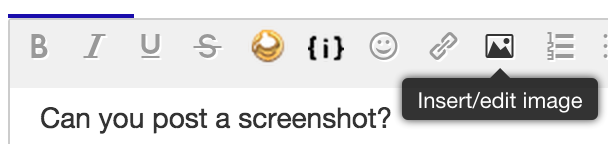
You can upload screenshots by clicking on the little icon that looks like a mountain with a moon in the sky while composing a posting. Follow the prompts.
rguy1
Apr 08, 2016Aspirant
The device manger shows a 802.11n Wireless LAN Card - I tried setting the speed at 300 mbps - Maybe I should of tried to set it at 150mbps - I guess it might refer me to make the same changes - ? Any way - What do you think - ?
HP Pavilion Elite HPE-400f Desktop PC Product Specifications Shows under Network from HP Customer Support
LAN: 10-Base-T
- Technology: PCI Realtek RTL8105E
- Data transfer speeds: up to 10/100 Mb/s
- Transmission standards:10-Base-T Ethernet
Interface type: PCI-e half-length mini card
- Data transfer speeds: up to 150 Mbps
- Transmission standards: 802.11 b/g/n
- Supported antenna connections: 1 (1 internal post to connect an internal)
- Operating band: 2.4 GHz
- Supported security protocols:
- WPA
- WEP
- VE6CGXApr 08, 2016Master
Your WiFi card has only one antenna which is bottle neck. Replace it with one with 2 antennas possibly dual band one. HP some times does not accept non- HP card. Keep that in mind. Make sure you get compatible one. Looks like the desk top came with cheapest card to save $$$...Also your NIC(LAN card is oldie) which can handle 100mbs speed vs. today's standard 1gbs.
- rguy1Apr 09, 2016Aspirant
The cable company was suppose to give me a router at no cost - Mine was hooked up when they got here so they didn't change the router - I think it just might be easier to say give me a router and make my arguements with them from their - The modem they gave me could only process 20 mbps and they were charging me for a higher speed - So - they put it back on me - lol -and I see now that they are probably right - It's kind of time for a new computer any way - lol
Thanks !
- rguy1Apr 09, 2016Aspirant
Thanks - Yes - It's time for me to get some new hardware - This computers about 7 years old or so - : )
- TheEtherApr 09, 2016Guru
It looks like your wireless card only supports WPA, not WPA2 security. Try setting the speed back to 300 Mbps, but this time select either WPA-PSK [TKIP] + WPA2-PSK [AES] or just plain WPA-PSK [TKIP] for Wireless Security.
There are also settings that you can change in the driver for the Wireless LAN Card. They should be set to support the maximum speed capable by the card. Unfortunately, I can't advise you further without seeing the settings.
- rguy1Apr 10, 2016Aspirant
OK - SO WPA-PSK ( TKIP ) won't support the 300 mbps speed but when I go down to the WPA-PSK + WPA2 - PSK ( AES ) it prompts me to change my passphrase to a 8 letter setting - My passphrase is already set to an 8 letter setting - It was an intial requirement - Does changing your passphrase create any problems and why would I be getting this prompt - Is it normal to have to change your passphrase when you change your settings - It's never been a condition before -
- VE6CGXApr 10, 2016Master
Considering your WiFi card is oldie. That problably is why.