NETGEAR is aware of a growing number of phone and online scams. To learn how to stay safe click here.
Forum Discussion

FinessE-
Jul 16, 2022Aspirant
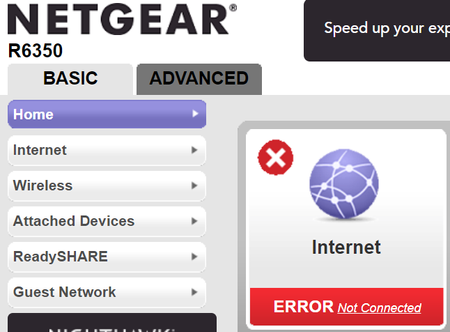
Netgear 1750 R6350 WiFi Router "Internet not Connected"
Modem: CM1000v2 Router: AC1750 R6350 I have an issue where my internet is not showing as connected on my Netgear router, see above for Netgear modem & router models. I've tried everything I can ...

michaelkenward
Jul 17, 2022Guru - Experienced User
FinessE- wrote:
I have an issue where my internet is not showing as connected on my Netgear route
Is it connected?
In other words, is that message wrong, or are you trying to connect?
What firmware version do you have on the device? You've cut that bit out of the screenshot.
A number is more useful than "the latest". (It may not be by the time people read this.) There can also be newer versions, or "hot fixes", that do not show up if you check for new firmware in the browser interface.
FinessE-
Jul 17, 2022Aspirant
It's not connected, I can get access at times but it has issues and the one or two times where it has shown connected everything worked perfectly.
Router Firmware Version
V1.1.0.88_1.0.1
- plemansJul 17, 2022Guru - Experienced User
If you hardwire you pc directly into the cm1000, does its connection drop if you run it throughout the day?
do you have a screensnip of the modems cable connection page and event logs?
- FinessE-Jul 17, 2022Aspirant
I don't hardwire my PC directly to the modem as I wouldn't have WiFi then since the CM1000v2 is exclusively a modem with no routing functions. I've looked over the logs and there's nothing but scans and instances where I manually disconnected and reconnected.
- michaelkenwardJul 18, 2022Guru - Experienced User
FinessE- wrote:
I don't hardwire my PC directly to the modem as I wouldn't have WiFi then since the CM1000v2 is exclusively a modem with no routing functions.
You don't need routing or wifi if the idea is simply to check that the modem is working as it should.
That is probably what plemans had in mind.

