NETGEAR is aware of a growing number of phone and online scams. To learn how to stay safe click here.
Forum Discussion

darrenlhr
Oct 01, 2017Follower
ReadySHARE USB Printer for macos High Sierra - Installation Is Incomplete
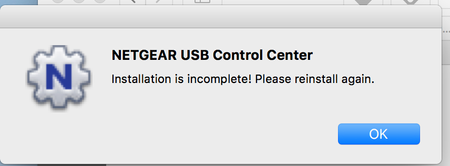
Hi, I am having trouble installing the ReadyShare USB Printer (ReadySHARE USB Printer MAC_V2.36) on macOS High Sierra. Whenever the installation completes and the machines reboots, Netgear USB Co...
- Jan 25, 2018
Hi all,
You can download the new USB Control Center app using the link below.
https://kb.netgear.com/000053245/
Regards,
Dexter
Community Team

bobbycee70
Jan 07, 2018Tutor
Yeah, still waiting here for Mac iOS 10.13 update too :( I might just opt to purcahse a standalone print server...
It just seems as though this is planned obsolescence - I'm comfortable and aware that drivers update, etc., but this is just a real pain that I can count on long term use.
chadpatt
Jan 21, 2018Initiate
Instead of using this very poor software, use the built in drivers in OSX. I can by pass this software and directly print to the IP of the router. Follow these steps.
System Preferences> Printers & Scanners
Add a printer
Select IP on the top menu
in the Address box put in the ip of the router
select HP Jetdirect - Socket
in the Use Box, select your printer software
and hit add.
On my setup, it works perfectly and super fast.
- RRM855Jan 21, 2018Apprentice
Would that work for non-HP printers? What would happen if you left it at Internet Protocol Printing?
The 2.4 utility does work, it is just that it has to constantly be reconnected upon start-up and if it has been left idle for a while. Do others know a work-around for that problem?
- chadpattJan 21, 2018Initiate
Yep, my printer is a Brother Lazer printer. I had no problem printing to it via this method.
- antinodeJan 21, 2018Guru
> select HP Jetdirect - Socket
> Would that work for non-HP printers?
The protocol (using port 9100) was developed by HP, but adopted much
more widely.
https://hacking-printers.net/wiki/index.php/Port_9100_printing
- Kneelb4z0dJan 22, 2018AspirantIs your printer connected via the USB port on the router? As my HP laser jet is not found when I follow your steps?
- DGoldenJan 22, 2018Aspirant
Thanks Chadpatt! Your method of adding IP printer worked for me :)