NETGEAR is aware of a growing number of phone and online scams. To learn how to stay safe click here.
Forum Discussion

MSRadell
Mar 18, 2016Aspirant
Setting the time on a R6400
How do you set the internal time and date on a R6400? When I go to the traffic screen is telling me it's sometime in January 2003!
- Mar 22, 2016
Hi @MSRadell,
I have sent you a message. Please check your inbox.
Regards,
Dexter
Community Team

DexterJB
Mar 19, 2016NETGEAR Moderator
Hi @MSRadell,
You can access the router's UI and go to Advanced > Security > Schedule > and adjust the time zone.
Regards,
Dexter
Community Team
MSRadell
Mar 19, 2016Aspirant
I really did that but right now it's telling me that it's January 1 at 09:10:33.
- DexterJBMar 20, 2016NETGEAR Moderator
Hi @MSRadell,
1. What is the firmware version of the router?
2. Have you tried resetting the router?
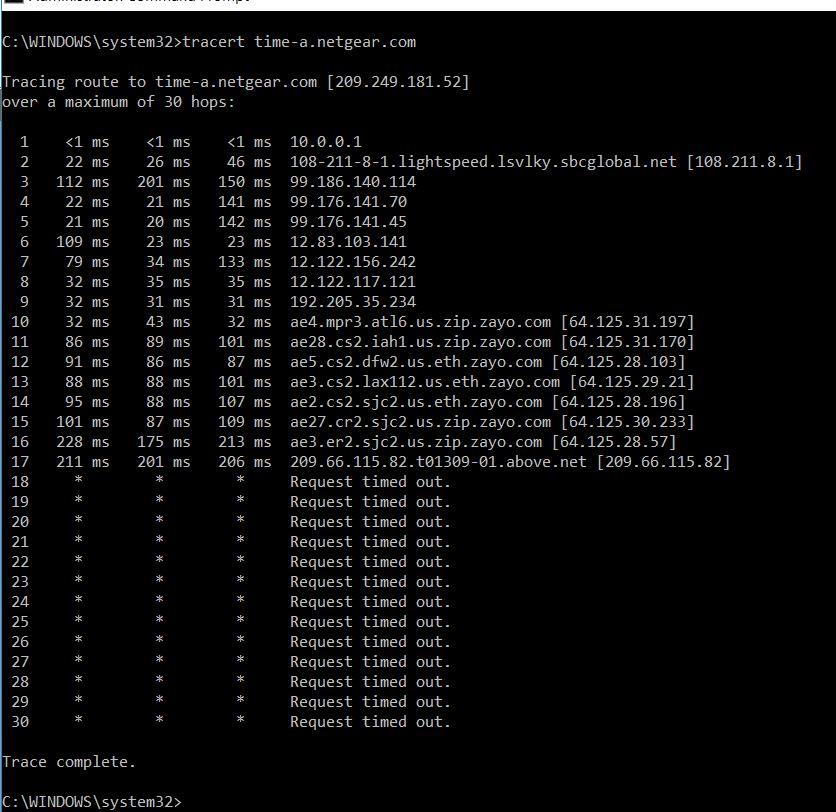
3. Please do a trace route to the time server. You may refer to the steps below.
i. Open the command prompt
ii. type tracert time-a.netgear.com and press Enter
Please post the results.
Regards,
Dexter
Community Team
- MSRadellMar 20, 2016Aspirant
The firmware version is: V1.0.1.6_1.0.4. I've done a reset on the router and that had no effect. Below is the tracert information.
- DexterJBMar 21, 2016NETGEAR Moderator
Hi @MSRadell,
Please try performing a firmware re-flash then reset and reconfigure the router. You may check the links below for the steps.
http://kb.netgear.com/app/answers/detail/a_id/23960
http://kb.netgear.com/app/answers/detail/a_id/9665Regards,
Dexter
Community Team