NETGEAR is aware of a growing number of phone and online scams. To learn how to stay safe click here.
Forum Discussion

Debbys16
Jun 24, 2021Follower
AC750 WiFi Range Extender Set Up
Hi
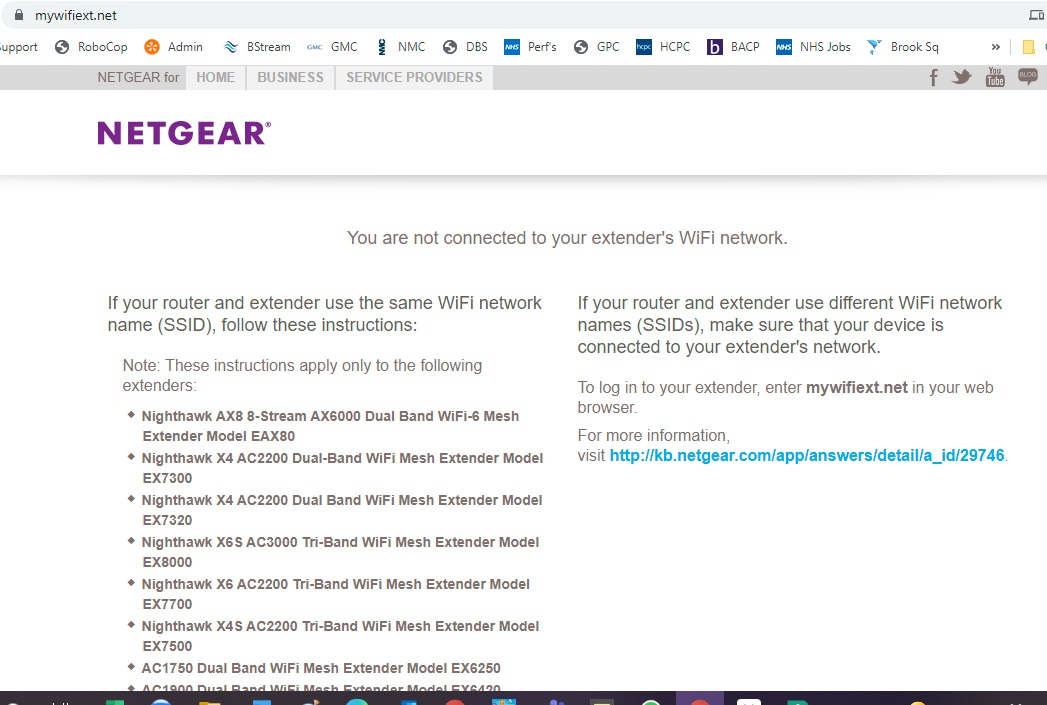
I have just recieved my AC750 extender today but when I navigate on Chrome to mywifiext webpage I do not get the screen I have seen in the tutorial with the New Extender Set up button.
What I get when the page loads is the screen in the attachment, any idea what I am doing wrong?
TIA
1 Reply
> Netgear.jpg
Welcome to the extender edition of what may be the worst error
message in the world. For an explanation (router-oriented), try:https://community.netgear.com/t5/x/x/m-p/1365830
Briefly, the idea is that "[www.]routerlogin.net" (or ".com", or
"orbilogin.net", ...) should point to your own router, but that's true
only if you use your own router for DNS name resolution. (Or, if the
Netgear router can intercept your DNS queries.) Regardless, you should
be able to get to the thing using its IP address, if you can determine
(or guess) that. Normally, that would be something like "192.168.1.1"
(for a plain router) or "192.168.0.1" (for a modem+router), but it could
be different. ("10.0.0.1" is a typical alternate, for example.)
A new complication arises if your web browser uses "DNS over HTTPS"
(and some real-world DNS server directly). In that case, those
"routerlogin" names will typically take you to that misleading/useless
Netgear error page. Specifying the IP address (instead of a
"routerlogin" name) should work, but there are some exotic cases where
you might need to disable "DNS over HTTPS" in your browser.For an extender, you might look at an Attached Devices (or
equivalent) report on your main router, to see if you can extract the IP
address of the extender from that.