NETGEAR is aware of a growing number of phone and online scams. To learn how to stay safe click here.
Forum Discussion

sequimboy
Mar 09, 2021Follower
c7000v2 port fowarding through to another router
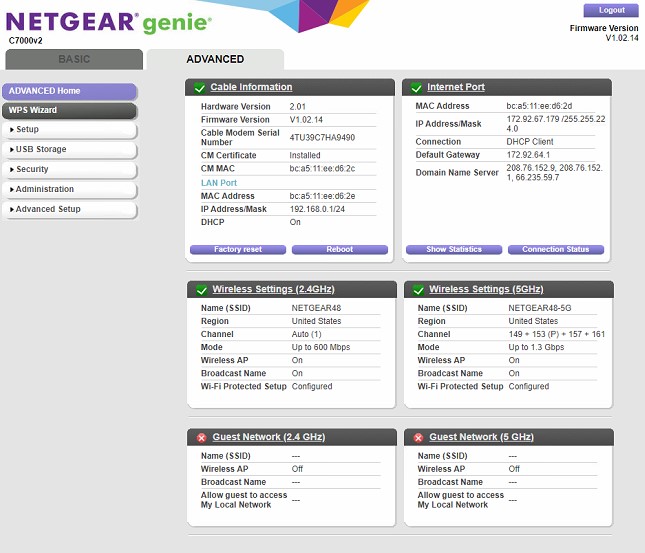
I am trying to port forward from the v7000v2 router to a server which is on another router cable connected to the Netgear router. This worked before with a DSL modem and router before but not the is ...
antinode
Mar 10, 2021Guru
> [...] a DSL modem and router before [...]
Not a very detailed description of those devices.
> [...] from the v7000v2 router to a server which is on another router
> cable connected to the Netgear router. [...]
Huh? "the Netgear router"? Has it a model number? Why do you have
both a C7000v2 modem+router and some other (unspecified) "the Netgear
router"?
What, exactly, is connected to what, exactly? (Hint: If a device has
different types of Ethernet ports, then "connected to device" is not
enough detail.)
The C7000v2 is (by default) a modem+router. If your (unspecified) "a
DSL modem" was really a modem (not a modem+router), then that could
explain your problem. Port forwarding has a better chance with one
router than it has with multiple routers.
If your intent was to use the C7000v2 as a modem-only, with some
other (unspecified) "the Netgear router" as a router, then that should
be possible. Are you connecting anything to the C7000v2 other than that
(unspecified) "the Netgear router"?
> [...] When I enter the port forward address of either 192.168.1.1 or
> 35 I get an error that that IP is not a plan.
Two routers, two LAN subnets, problems with port forwarding (and
routing, as with your "ping" asymmetry).
> Is there a firewall or something blocking the port forward going
> through 2nd router?
I'd vote for the second router.
> [...] Is can you help me fix it?
Shed one of the routers? Configure the C7000v2 to a modem-only, or
configure the mystery router as a wireless access point. Which scheme
makes the most sense would depend on where you want to connect your
client devices.