NETGEAR is aware of a growing number of phone and online scams. To learn how to stay safe click here.
Forum Discussion

JimmyW
Jan 21, 2021Luminary
Choosing a channel and band for streaming TV
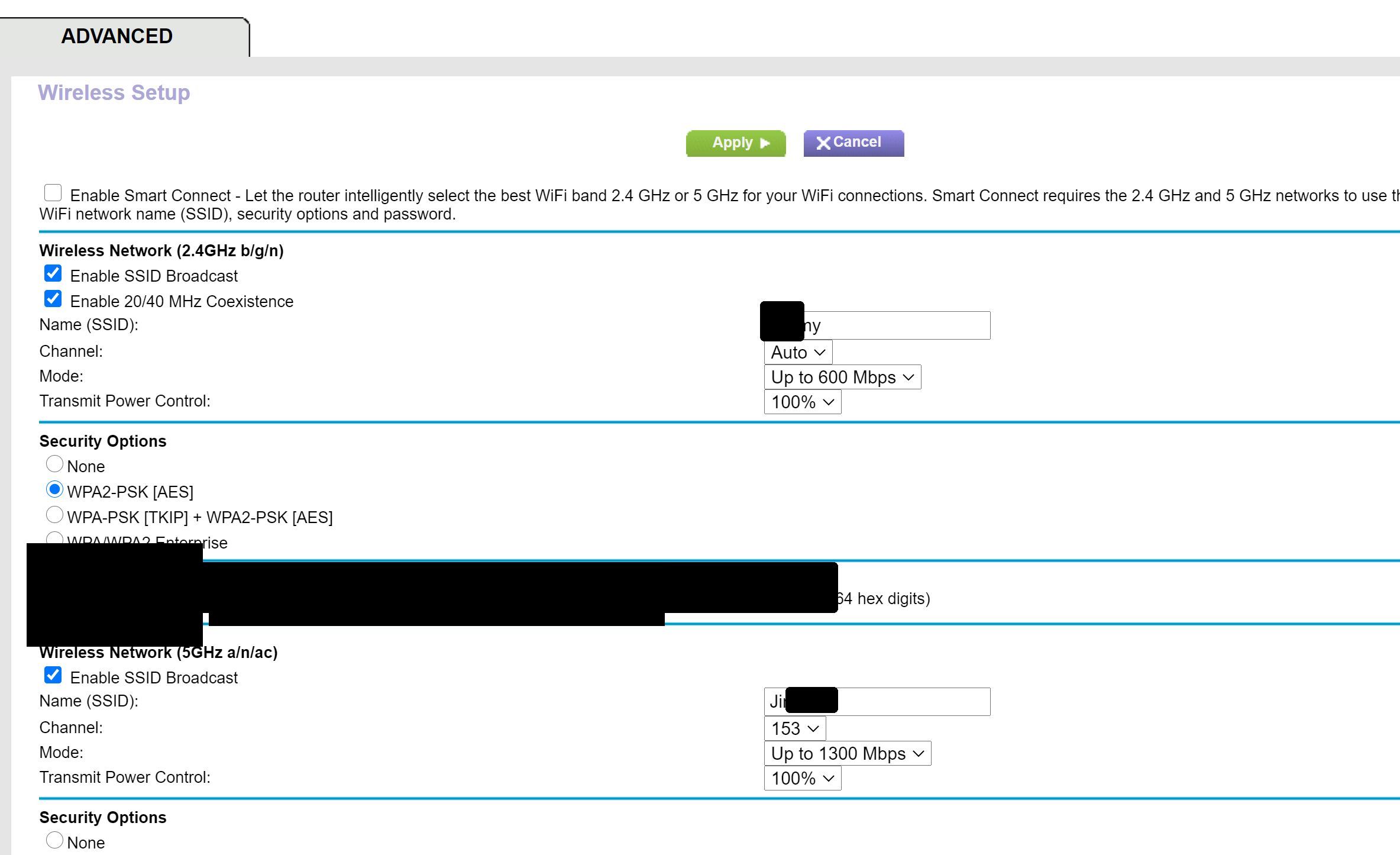
I'm using the R7000 router with Spectrum's streaming service on my Samsung smart TV. I connect to the router through a powerline adapter, and I use the 5GH band. The channel is set to 153, which I ...
- Jan 22, 2021
The reason they recommend it is because most tier 1 techs from spectrum/comcast/cox are just regular people with some basic training/troubleshooting. I know some pretty techologically smart people who don't know much about networking/wireless. the more you learn, the more you find out you don't know about networking. Half the time, I feel like a dumb*** compared to many of the members on here.

plemans
Jan 21, 2021Guru - Experienced User
5ghz is much much faster than 2.4ghz and doesn't suffer from the same interference that 2.4ghz does. I'd stick with the 5ghz.
You said you're using powerline. For the tv?
What firmware is on the router?
JimmyW
Jan 21, 2021Luminary
Thanks very much! Yes, I'm using powerline for my TV. I added it based on Community suggestions, as I was having problems streaming video from Amazon, Netflix, etc. The unit is a PLW1000. Powerline fixed everything, and I've remained on 5GHz as well. My router firmware is V1.0.9.88_10.2.88. The router states that the firmware is current.
I realize that some devices do not support 5GHz. My download speed is >100Mbps. I didn't advise Specrum which band I was using, but Channels 1, 6, & 11 are on low band. My guess is that, if I tell them I'm on 5GHz, they'll tell me to use 2.4GHz, just to avoid acknowledging that the problem is Spectrum. Regarding channels, do you know why my channel is set to 153? Would there be a reason to change the channel? As you suggested, I'm not inclined to switch to 2.4GHz plus override the Auto channel select just to appease Spectrum, though their service is miserable. AFAIK, I can't use 1-6-11 on 5GHz.
- plemansJan 21, 2021Guru - Experienced User
correct. Channels 1-11 are 2.4ghz.
The higher channels are 5ghz and are much higher throughput.
with your tv, if its on poweline, disconnect the 5ghz connection.
- JimmyWJan 21, 2021Luminary
Thanks again! So, if I try 2.4GHz, should I switch to one of the channels that Spectrum suggested? I would think that the Auto select option would choose the best channel for each streamimng service. Again, I don't want to mess up my other streaming services.
What about enabling Smart Connect? It "...lets router intelligently select the best WiFi band 2.4 GHz or 5 GHz for your WiFi connections. Smart Connect requires the 2.4 GHz and 5 GHz networks to use the same WiFi network name (SSID), security options and password." I'd just have to rename one network as they now use the same security and password.
- plemansJan 21, 2021Guru - Experienced User
what I'd do?
If the tv is hardwired in via powerline, disconnect if from both the powerline and the wifi.
If its not hardwired in, use the 5ghz.
Don't use 2.4ghz for the tv. 2.4ghz is much much slower and sensitive to interferenc.e