NETGEAR is aware of a growing number of phone and online scams. To learn how to stay safe click here.
Forum Discussion

Pereb
Jul 23, 2019Aspirant
Enable Media Server Missing from router login page
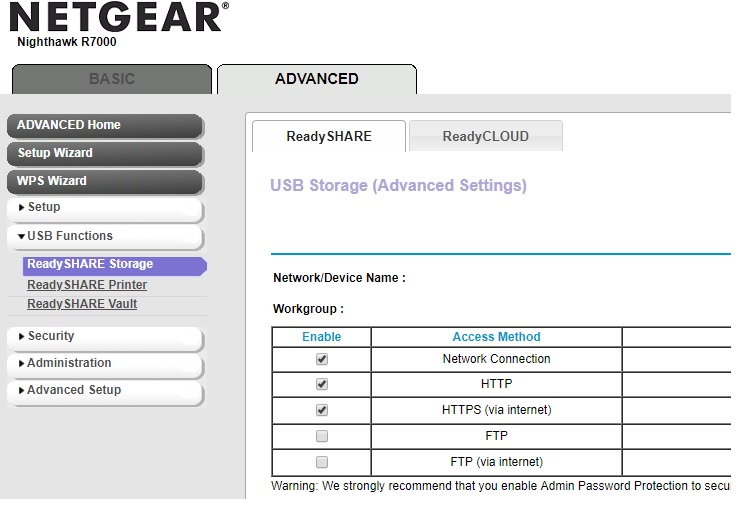
Hello, it seems I'm missing the enable media server function when I login in to http://www.routerlogin.net/start.htm
My Sony Bravia TV with DNLA enabled can't find the netgear media server but I can access the usb drive attached to the router where my movies are stored from my computer and my wifi works fine. The default gateway icon on my Windows 10 laptop isn't the netgear icon, that has changed and now when I click on it it takes me to the router login page on Chrome. I've done a router reset and installed the latest version of firmware on my router but the media server is still missing. I've deleted the dnla file on the usb drive and it's been re-installed when the usb drive has been re-inserted into the router.
Is there a setting I need to change on my computer or do I need to download the media server software, I think I've tried everything but to no avail. Your help would be greatly appreciated.
Cheers
I just rolled back the firmware to R7000-V1.0.9.64_10.2.64 and that has solved the problem and now I can view and watch my movies. Hooray!
5 Replies
- PerebAspirant
- redtoeTutor
I'm having the same problem here. Could it be that the feature was removed after the latest firmware update?
 IrvSpMaster
redtoe wrote:I'm having the same problem here. Could it be that the feature was removed after the latest firmware update?
Seems to be the case, other threads on DLNA here (search for them) report that.
Yes, you are on V1.0.9.88, and the README states some FEATURES are REMOVED, but NOT DLNA. Th iTunes server was on the missing page and it seems NG Support was overeager and just removed the needed page totally.
Go back to V1.0.9.42, it is the last reliable F/W and DISABLE AUTO-UPDATE. Check when the next f/w is released if they have RESTORED those missing (not removed) features.