NETGEAR is aware of a growing number of phone and online scams. To learn how to stay safe click here.
Forum Discussion

ashleyxxa
Dec 08, 2020Guide
Help! My Nighthawk R7000 has more packet loss than my cheaper wifi router.
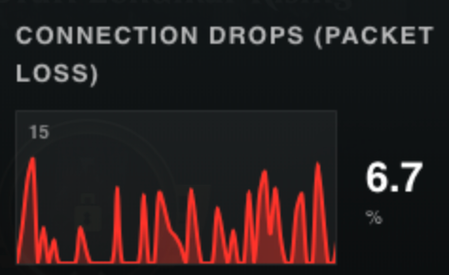
I have been trying to play Shadow PC with my Nighthawk R7000 thinking it would be an upgrade to my Honor Router 3 but I was shocked to see that the Nighthawk R7000 which is twice the price has so muc...
- Dec 14, 2020
Thank you Plemens, I have had to look things up so it took me a moment to get around to it.
1. The gateway is https://kabel.vodafone.de/static/media/Arris_VodafoneStation_TG344DE.pdf it's in German so if there are specifics you need to know let me know and I can look them up.\
2. RE: Firmware, I will try a. firmware update. When you say hardwire do you mean that I do it through hardwire from laptop to router?
ashleyxxa
Dec 14, 2020Guide
I was able to fix the issue with a firmeware update to the latest and a factory reset. Thank you Plemens! The oddest thing is that the router said with the old firmware that it was up to date. I guess I'll never trust that again!
Portwey84
Dec 29, 2020Virtuoso
ashleyxxa wrote:I was able to fix the issue with a firmeware update to the latest and a factory reset. Thank you Plemens! The oddest thing is that the router said with the old firmware that it was up to date. I guess I'll never trust that again!
I've done no less than 4 firmware updates to my R7000 this year alone, each one quite successfully I might add. Each and every time before the firmware update, upon scanning my router through the browser GUI or the Nighthawk App, it said there was no firmware update available, so yes, you're absolutely right not to trust the 'check for updates' button. I now check the Netgear download page at least once a month just to see if there are any further updates.
I've been on v.110 since its release, again, just like the previous firmware updates I was on, I had zero issues, they've all worked flawlessly on my router.