NETGEAR is aware of a growing number of phone and online scams. To learn how to stay safe click here.
Forum Discussion

FURRYe38
Apr 01, 2022Guru - Experienced User
New - R8000 Firmware Version 1.0.4.84 Released
Security Fixes: 3/30/22
Fixes security vulnerabilities. (Don't know if this resolves the DNS issues seen on v.76 version.)
For more information about security vulnerabilities, visit https://www.n...

bitwave
Oct 03, 2022Guide
R8000 latest firmware DNS is broke, others mentioned a workaround to enable ipv6 seems to fix the DNS issue however while running a moderate load today the internet connection drops and the router has to be reset. I am forced to roll back to a more stable build until this is fixed or move to another router with less problems.

FURRYe38
Oct 04, 2022Guru - Experienced User
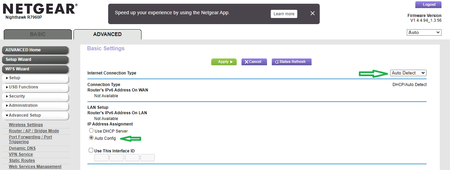
Yes DNS is broke on this version and prior versoins as well. IPv6 is a work around for it.
What is the Mfr and model# of the Internet Service Providers modem/ONT the NG router is connected too?
Be sure your using a good quality LAN cable between the modem and router. CAT6 is recommended.
What do you have all connected to the router when this connection dropped?
Any Top LED inidications when this happens?
How do you have wifi basic and advanced configured?
What channels are you using? Auto? Try Auto and 48 on 5Ghz. Or try setting manual channel 1, 6 or 11 on 2.4Ghz and 40 to 48 channel on 5Ghz.
Any Wifi Neighbors near by? If so, how many?
Is Access Controls, Armor, Circle or Traffic Meter enabled?
Did you factory reset the router and setup from scratch or did you apply FW and continue to use the router?
bitwave wrote:
R8000 latest firmware DNS is broke, others mentioned a workaround to enable ipv6 seems to fix the DNS issue however while running a moderate load today the internet connection drops and the router has to be reset. I am forced to roll back to a more stable build until this is fixed or move to another router with less problems.