NETGEAR is aware of a growing number of phone and online scams. To learn how to stay safe click here.
Forum Discussion

AlpineKid66
Oct 14, 2021Guide
Nighthawk AC2300 Smart WiFi Router (R7000P-100NAS) WHY no updates??
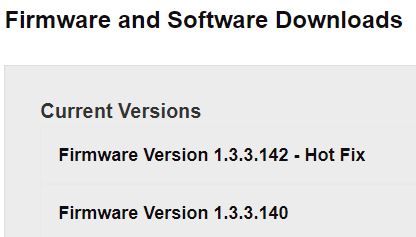
Firmware Version V1.3.1.64_10.1.36 as of 15 October 2021 go to NETGEAR Download Center and see Firmware/Software updates. I go to and find these Firmware updates. Download the .zip file for ...

plemans
Oct 15, 2021Guru - Experienced User
A couple things.
1. photos have to be approved by a moderator. It can take a while. You can click on "choose file" and add them each individually and we can see them sooner
2. did you extract the files prior to trying to upload them? So after you download the file, right click on it and extract all.
- AlpineKid66Oct 15, 2021Guide
When I logged in I see the pictures that I had submitted while I was posting the problem. Hope they can be seen now.
Looking at the NetgearVault.jpg, yes I "extracted" the .zip file. Then I picked the .chk file as seen in the NegearVault.jpg.
The program started to upload the file then gave me the "error". The "Failure" picture in first post.
I take it that there are now current updates for the router? Am I correct? Or is there something else wrong?
What router could I upgrade to if needed? This is a home network setup.
Thank you
- plemansOct 17, 2021Guru - Experienced User
have you tried using a different device or web browser?
- AlpineKid66Oct 19, 2021Guide
I do not have the money to buy a different device.
That is if one could be found since everything is on the ships on the west coast.
I take it that there are NO updates for this router.
Right?
or
Wrong?
Thank you
