NETGEAR is aware of a growing number of phone and online scams. To learn how to stay safe click here.
Forum Discussion

Bingman111
Dec 31, 2020Guide
Nighthawk R6230 bricked after firmware upgrade
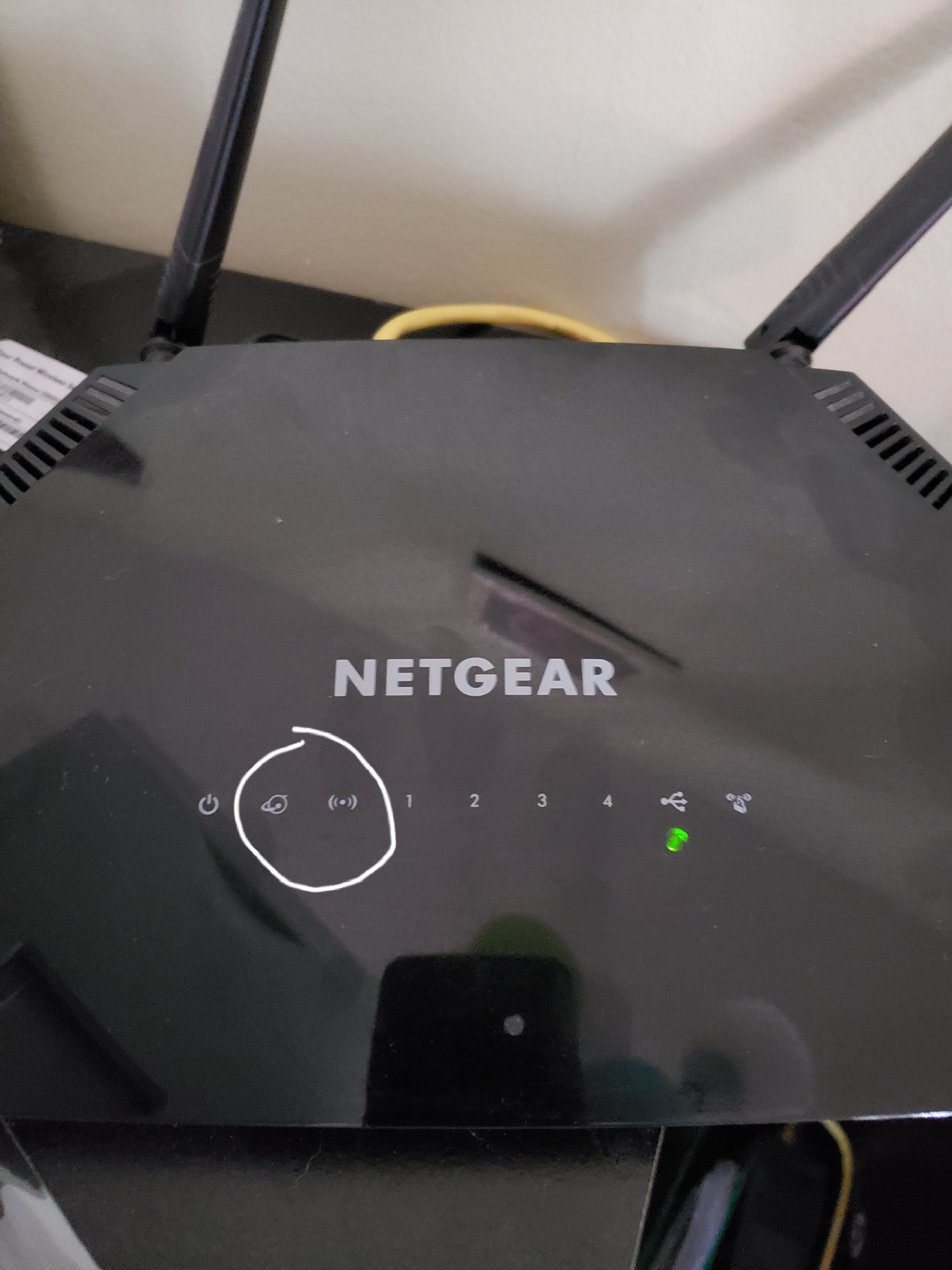
After performing the firmware upgrade (104, I believe) the router shut off and never rebooted. The picture shows how the router looks. After 30/30/30 reset the two lights I circled will alternate flas...
Bingman111
Jan 04, 2021Guide
Yes, I watched the video.
I have made some progress I had the ethernet cable plugged into the internet port on the router. Now that I have plugged it into the LAN port 1 the computer recognizes it and the tftp flash attempts to work. However, the attempts all fail saying "Unable to get responses from the server."
I have made some progress I had the ethernet cable plugged into the internet port on the router. Now that I have plugged it into the LAN port 1 the computer recognizes it and the tftp flash attempts to work. However, the attempts all fail saying "Unable to get responses from the server."
jobiewan
Jan 04, 2021Tutor
Well I don't know if this is progress or not, but I am at least getting an error message now... When clicking "Put" on the Tftp client I am getting:
"Error in Recv.Error code is 10054 (An existing connection was forcibly closed by the remote host.)"
Does that clue anyone in to what I might be doing wrong?
- jobiewanJan 04, 2021Tutor
there is one piece that I would like clarification on... some of the instructions mention to hold in the reset button while powering up the router just prior to downloading the firmware. some do not. what is the correct method?
when I hold reset while powering up, the power led stays solid green and the wi-fi and network led's blink back and forth continuously until the router is powered down. is this the correct behavior for the download for this specific router?
- plemansJan 04, 2021Guru - Experienced User
it could be a hardware failure. Did you try nmrpflash?
- thexterarcuryJan 04, 2021Guide
Hi all - I am on a mac and after a day of banging my head against the wall, I was able to get my router back working by rebooting the firmware via nmrpflash. Woohoo!
https://github.com/jclehner/nmrpflash
Note that with nmrpflash once it successfully connected, all lights turned off except the internet connection light. That was how I knew it was working, whereas before I either just had the power light, or the power light + wifi/internet lights blinking back and forth.
I am on a mac and will put the instructions in my other post on how to use nmrpflash because it took a lot of guesswork to figure out the commands.
Also, as soon as I rebooted there was a new firmware available, I bet Netgear realized they were bricking routers and fixed it...
- michaelkenwardJan 05, 2021Guru - Experienced User
jobiewan wrote:
some of the instructions mention to hold in the reset button while powering up the router just prior to downloading the firmware.
I don't recognise those instructions. Do you have a link to the details?
Any reference to holding in the reset button while powering up is usually in the context of a "recovery reset":
- Press reset for 30 seconds
- Keep pressing reset while removing power
- Keep pressing reset for another 30 seconds while apply power
This is a more severe reset than the usual factory reset. It is not used at the same time as TFTP. It is an attempt to persuade the router to get into a state where you don't need TFTP. If it works, which seems to be rare, you should be able to use a conventional firmware update.
- jobiewanJan 05, 2021Tutor
michaelkenward - 1st link in the second post of this thread...
https://kb.netgear.com/000059634/How-to-upload-firmware-to-a-NETGEAR-router-using-Windows-TFTP