NETGEAR is aware of a growing number of phone and online scams. To learn how to stay safe click here.
Forum Discussion

Bingman111
Dec 31, 2020Guide
Nighthawk R6230 bricked after firmware upgrade
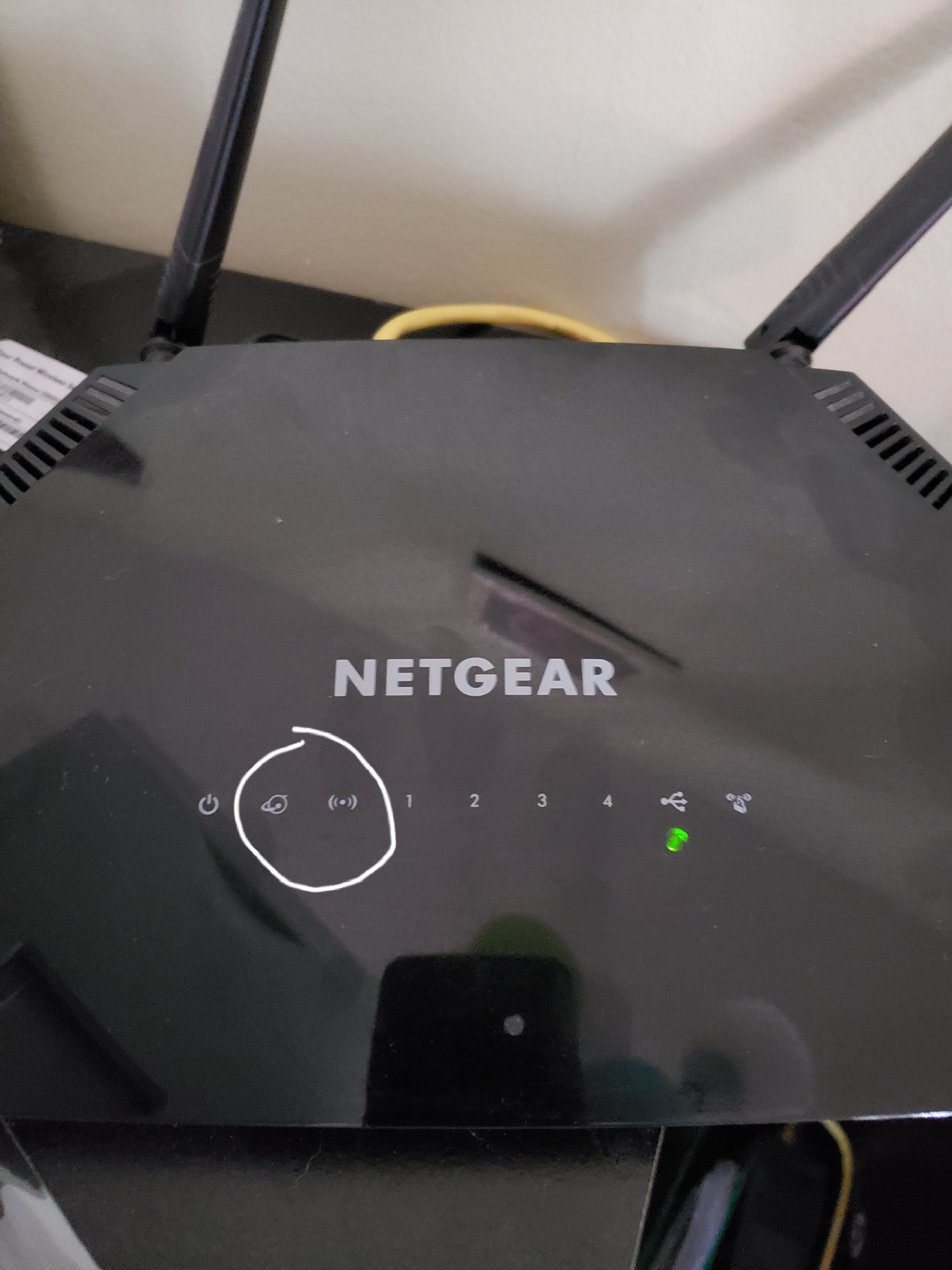
After performing the firmware upgrade (104, I believe) the router shut off and never rebooted. The picture shows how the router looks. After 30/30/30 reset the two lights I circled will alternate flas...
jobiewan
Jan 04, 2021Tutor
there is one piece that I would like clarification on... some of the instructions mention to hold in the reset button while powering up the router just prior to downloading the firmware. some do not. what is the correct method?
when I hold reset while powering up, the power led stays solid green and the wi-fi and network led's blink back and forth continuously until the router is powered down. is this the correct behavior for the download for this specific router?

plemans
Jan 04, 2021Guru - Experienced User
it could be a hardware failure. Did you try nmrpflash?
- thexterarcuryJan 04, 2021Guide
Hi all - I am on a mac and after a day of banging my head against the wall, I was able to get my router back working by rebooting the firmware via nmrpflash. Woohoo!
https://github.com/jclehner/nmrpflash
Note that with nmrpflash once it successfully connected, all lights turned off except the internet connection light. That was how I knew it was working, whereas before I either just had the power light, or the power light + wifi/internet lights blinking back and forth.
I am on a mac and will put the instructions in my other post on how to use nmrpflash because it took a lot of guesswork to figure out the commands.
Also, as soon as I rebooted there was a new firmware available, I bet Netgear realized they were bricking routers and fixed it...
- Bingman111Jan 05, 2021GuideI will give nmrp a try, but I'm not a network/IT guy and the instructions looked a little foreign to me. Any more help on how to use this method?
- jobiewanJan 05, 2021Tutor
i'm in the same boat... the linked nmrp instructions scared me off. too intimidating for a greenhorn such as myself
- Bingman111Jan 05, 2021GuideJust to update I have tried tftp.
I have downloaded tftp via the links and followed the instructions in the YouTube video. Wifi is disabled, file is unzipped, ethernet port set to static ip and detects the router. Router is turned on with ethernet cable from computer plugged into LAN1. Tftp is enabled on the PC. I keep receiving unable to get responses from server as the end result. I also tried running it using the command prompt with connect request failed as the end result.
More detailed direction of how to use nmrp flash would be appreciated as I will need a new router if I can not make this work.
Sounds like another on this thread has had the same issue as me... very frustrating- Bingman111Jan 05, 2021Guide
- Bingman111Jan 05, 2021GuideI have posted my error messages
- michaelkenwardJan 05, 2021Guru - Experienced User
Bingman111 wrote:
I have downloaded tftp via the links and followed the instructions in the YouTube video.This out of date advice is not needed, possibly dangerous and likely to make life more complicated.
TFTP is built into modern operating systems. You just have to turn it on.
This is all explained in Netgear's own advice.
How to upload firmware to a NETGEAR router using Windows TFTP | Answer | NETGEAR Support
- jobiewanJan 05, 2021Tutor
This is all explained in Netgear's own advice.
How to upload firmware to a NETGEAR router using Windows TFTP | Answer | NETGEAR Support
Actually, the first advice that Netgear directs you to from the troubleshooting section for this specific model of router is the method Bingman111 refers to.
https://www.netgear.com/support/product/R6230.aspx#Troubleshooting_CommonTopics
Then later down the page it mentions the Windows method you link to.