NETGEAR is aware of a growing number of phone and online scams. To learn how to stay safe click here.
Forum Discussion

Bingman111
Dec 31, 2020Guide
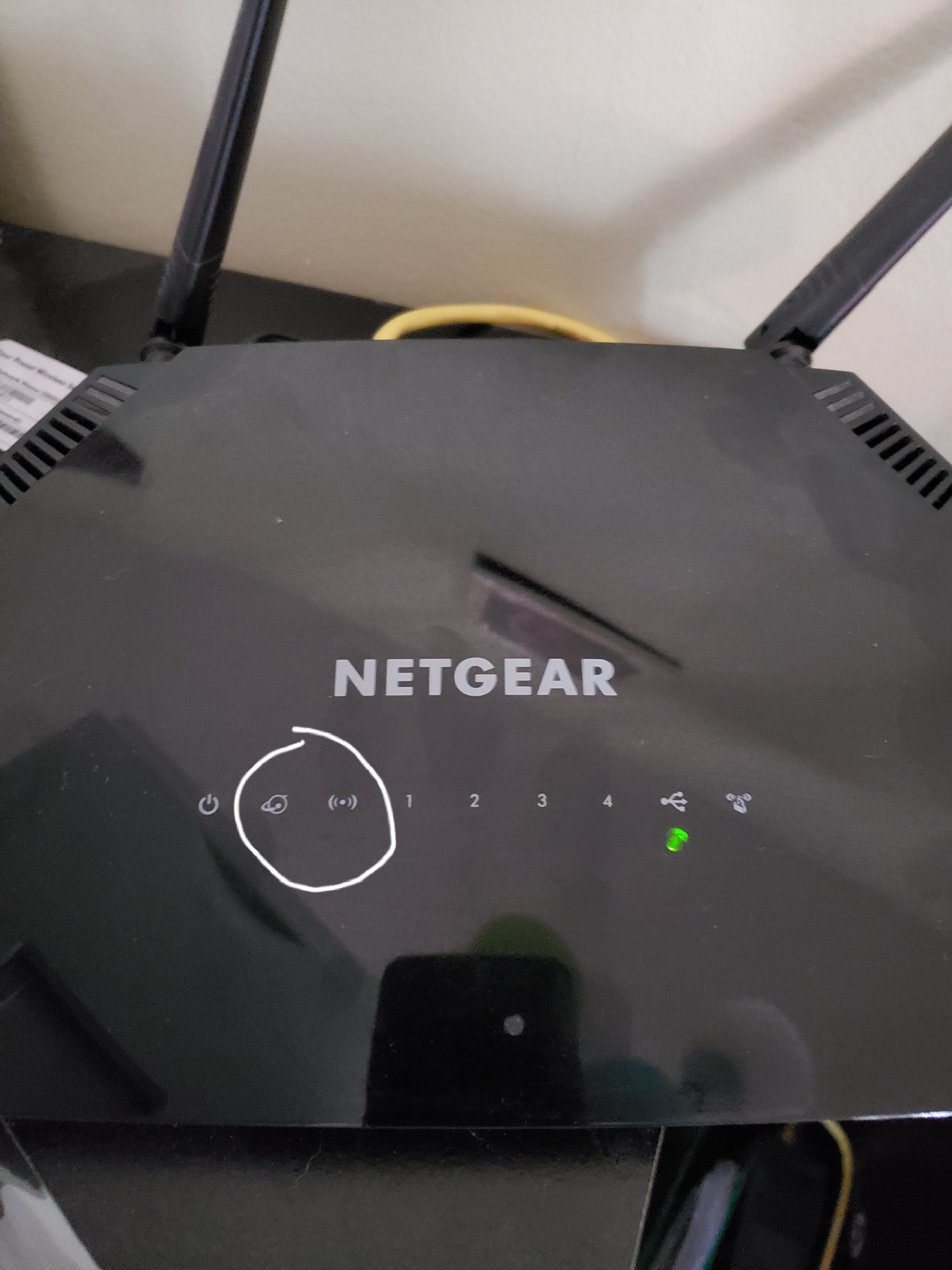
Nighthawk R6230 bricked after firmware upgrade
After performing the firmware upgrade (104, I believe) the router shut off and never rebooted. The picture shows how the router looks. After 30/30/30 reset the two lights I circled will alternate flas...
NMRPFlash01
Jun 07, 2021Aspirant
Use NMRPFlash
Download the program nmrpflash, install npcap and then set a static IP. Once setup with a static up and plugged into the router, run the nmrp with the correct network device (nmrpflash.exe -L to list) and power the router. The router will boot off the LAN port you are plugged into:
See attachment
https://github.com/jclehner/nmrpflash
https://github.com/jclehner/nmrpflash/releases
Then you can use whatever FW you want to put back on the router. The older versions still have bridged mode but newer versions have removed that option.
