NETGEAR is aware of a growing number of phone and online scams. To learn how to stay safe click here.
Forum Discussion

melci
Jun 16, 2016Aspirant
Nighthawk R7000: WI-FI Pring sharing
Hi, On my R7000 I have enabled smart connect to let the system intelligently select the best WiFi band 2.4 GHz or 5 GHz. But my HP WI-FI printer is on 2.4 GHz band. The devices (laptops, smartpho...
- Jun 29, 2016
Thanks for the reply. As you have indicated they were not on the same network. After modifying the setup, everthing works fine.

IrvSp
Jun 29, 2016Master
VE6CGX wrote:
I don't believe HP printer works only with assigned address 192.168.1.10.
True, but that was HP's 'work-around' for that printer under W7 for me. Had to start the router DHCP at 192.168.1.20 to be safe. All I can say it worked. W8 and above, no need to do that. I think the real problem was the driver, especially after the PC went to hybernation. It sort of got 'lost' I guess, but direct addressing I guess worked.
I only mentioned that as maybe there are some printers that do either need or work better with assigned IP Addresses.
Right now I only assign set IP Addresses to the PC's so I can tell which one it is in the LOG. NG doesn't provide device names in the log, and on bringing up systems without assigned IP Addresses they will move around.

VE6CGX
Jun 29, 2016Master
Of course so. If you want to quick look at currently connected devices, run ipscan. Some devices will id. itself like Brother printer, other's will give MAC address.
- IrvSpJun 29, 2016Master
VE6CGX wrote:Of course so. If you want to quick look at currently connected devices, run ipscan. Some devices will id. itself like Brother printer, other's will give MAC address.
There appears to be more than one IPSCAN for Windows. I've tried 2 and they miss names that R7000 can find. No iPad's are identified nor the Amazon Fire TV Stick.
- VE6CGXJun 29, 2016Master
My favorite is 'advanced ipscan' which gives device name , manufacturer , MAC address.
- IrvSpJun 29, 2016Master
VE6CGX wrote:My favorite is 'advanced ipscan' which gives device name , manufacturer , MAC address.
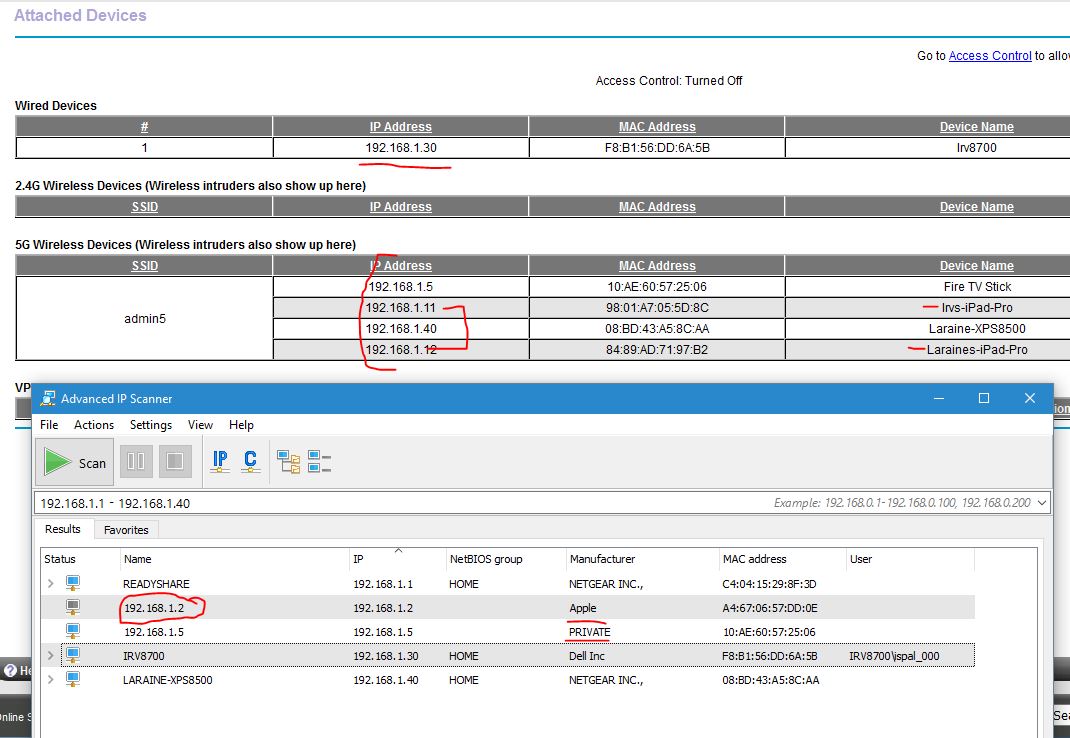
Sorry, doesn't cut it... see the screen capture when it appears... both the R7000 Attached Device list (which is correct) and Advanced IP scan...
Note the Attached List with names I edited in.
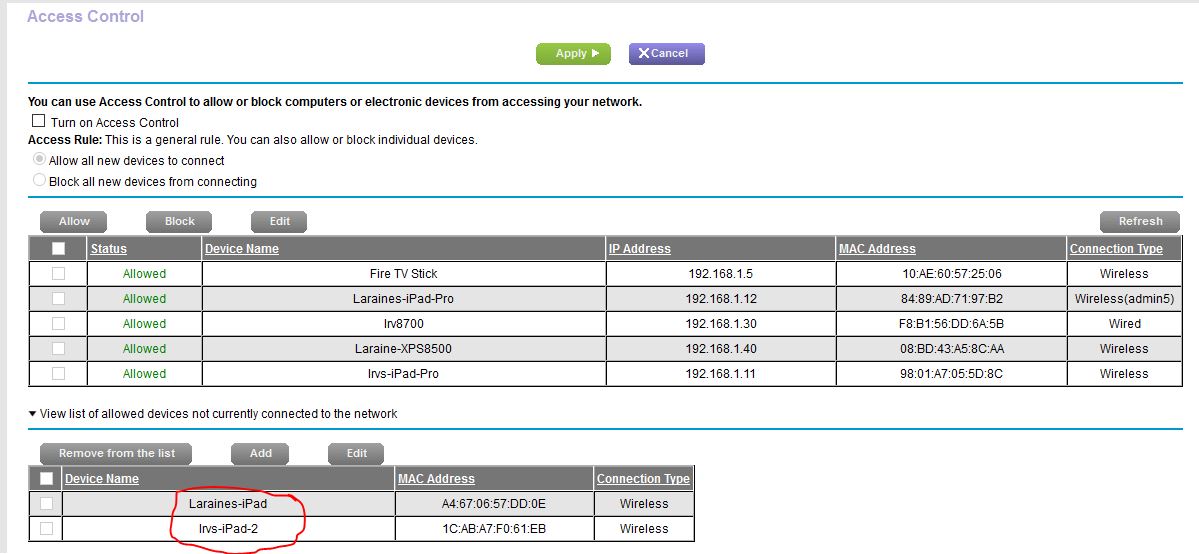
3 of interest in the NG listing, the .5, .11. and .12. .5 is the Fire TV, and Android device. In IPSCAN it shows as PRIVATE, so I'd assume any Android device would appear like that? The other 2 are NEW iPad's as of this week. Does NOT appear to IPSCAN... and that has me wondering as it sees a .2? That is the OLD iPad and there was a .4 as well before. Where did IPSCAN get that info? The Browser Genie DOES have some problems under Access Control with the latest Official F/W. It doesn't seem to know of devices that once connected to the LAN but are off now, and then sometimes it does? Today it remembers the OLD iPad's, the .2 and .4 but not the SmartTV that was on a few hours ago at .7?
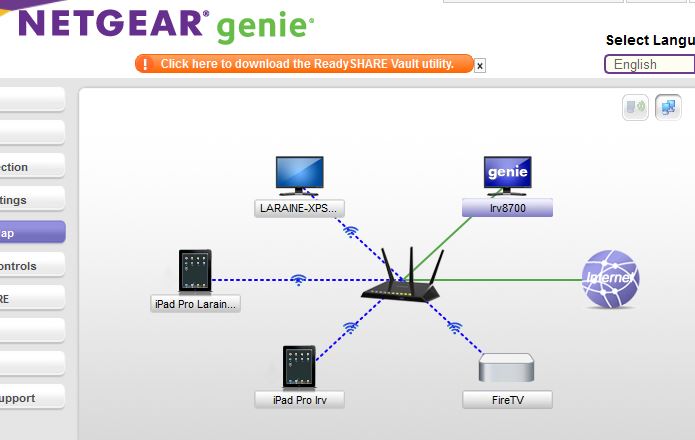
Even the Windows Netgear Genie gets it right :-)
You'll have to wait for the captures to appear, but trust me, IPSCAN didn't get it right.
I do wonder where it did find the .2 and how or why Access Control 'not connected' missed the TV as well as others that have connected recently?