NETGEAR is aware of a growing number of phone and online scams. To learn how to stay safe click here.
Forum Discussion

cdoan
Nov 16, 2020Tutor
Nighthawk R7960P update
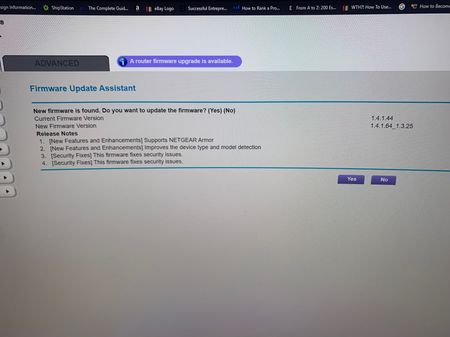
Having update issues with this specific model. When we update, it actually doesn't update. We tried the USB update also and still same issues. Occasionally, we have to reset the modem due to connect...
- Nov 17, 2020
Not sure what "usb update" method you used.
But if it was me, and the R7960P was running well, I'd just leave it.
The upgrade to Armor wasn't an upgrade for everyone and caused many to have issues.
If you do want to upgrade, I'd follow the manual upgrade process (hardwired in). I'd also factory reset after the update and do a clean install because of the upgrade to armor.
https://www.netgear.com/support/product/r7960p
https://kb.netgear.com/23960/How-do-I-manually-update-the-firmware-on-my-NETGEAR-router

plemans
Nov 17, 2020Guru - Experienced User
Not sure what "usb update" method you used.
But if it was me, and the R7960P was running well, I'd just leave it.
The upgrade to Armor wasn't an upgrade for everyone and caused many to have issues.
If you do want to upgrade, I'd follow the manual upgrade process (hardwired in). I'd also factory reset after the update and do a clean install because of the upgrade to armor.
https://www.netgear.com/support/product/r7960p
https://kb.netgear.com/23960/How-do-I-manually-update-the-firmware-on-my-NETGEAR-router