NETGEAR is aware of a growing number of phone and online scams. To learn how to stay safe click here.
Forum Discussion

blackpawn
Sep 30, 2021Aspirant
No 5GHz on Nighthawk R8500
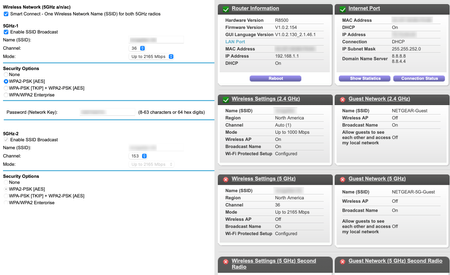
Using Firmware V1.0.2.154 So maybe a year ago I started having problems with the 5Ghz networks, the would disappear and I had to reboot the router to get them back. After a firmware update 6? mon...

- Sep 30, 2021
Ah I found under Advanced > Wireless Settings the 5GHz radios had the checkbox disabled. I clicked to enable and restarted and the LED lights are on the the 5GHz networks are working again.

blackpawn
Sep 30, 2021Aspirant
Ah I found under Advanced > Wireless Settings the 5GHz radios had the checkbox disabled. I clicked to enable and restarted and the LED lights are on the the 5GHz networks are working again.