NETGEAR is aware of a growing number of phone and online scams. To learn how to stay safe click here.
Forum Discussion

Aredjay
Nov 03, 2020Aspirant
Port forwarding on R6400v2
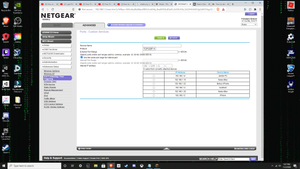
so today I was setting up a minecraft server and when i proceeded to port forward it i got this, down below. there is no way to change the external starting point or ending point and no way to set i...
 Nov 04, 2020
Aredjay wrote:
I do think this has something to do with firewall, most likely on the router.
That's just a guess at this point. I don't know about Armor, but the normal NAT firewall in your router won't interfere with the forwarding. Does your router support Armor? If so, did you enable it?
Also, what device is in front of your Netgear router? If it is a gateway, you might also need to add a forwarding rule there (forwarding the port to the Netgear router). If you aren't sure what it is, post the manufacturer and model here.
Other things to look at:
- See if he can "ping" your router using the DDNS name. https://www.hellotech.com/guide/for/how-to-do-a-ping-test-windows-10
- Did you confirm that that the forwarded port was open? There are several websites you can use for that - https://www.canyouseeme.org/ is one.
- Did you double-check that the forwarding destination is going to your minecraft server's local IP address
StephenB
Nov 03, 2020Guru - Experienced User
Aredjay wrote:
ok i set up the ddns, how do my friends connect to my minecraft server? i dont get what you mean by use the name. Also do i connect the ddns name to anything?
I don't use minecraft myself. But I believe your cousin (and other remote users) simply have to enter your DDNS name instead of your public IP address when they connect to your server. From what I've googled, they'd select "multiplayer", then "add server", and then enter the ddns name.
The DDNS cloud server takes care of the rest - it's the same process that happens when you access a web page in your browser. The name is resolved to an IP address using normal Internet protocols, and that is invisible to you and your family/friends.
Aredjay wrote:
also again my cousin said something about security and to disable it,
I don't know what his security concern is, and I've never researched how Minecraft connections are secured and managed. DDNS doesn't create any security problems, so it is safe to keep that service running.
Forwarding the port in your router allows any minecraft client on the internet to connect to your server. So you should enable a whitelist (or something similar) in the server so only your family/friends are allowed to use it. And you should keep the minecraft server software up to date. It would be smart to turn off the port forwarding until you figure out how to do that.
Another thing you could do is schedule when you will open the server to your family/friends - turning the port forwarding on when you all want to play, and turning it off again when you are done.
BTW, I noticed on your screen shot that there is a firmware update available for your router. It would also be good to install that update.
I don't usually check this forum area, so it is helpful if you use the @ in your replies.