NETGEAR is aware of a growing number of phone and online scams. To learn how to stay safe click here.
Forum Discussion

midihead7
Jul 06, 2020Aspirant
R6700 Firmware Version 1.0.2.10 - Hot Fix - This firmware file is incorrect!
So I see that Netgear released a hot fix on 7/2/20 to patch these things: PSV-2019-0296, PSV-2020-0001, 0009, 0108, 0118, 0119 ZDI-CAN-9642, 9643, 9618, 9703, 9756, 9767, 9768 I downloade...
- Jul 08, 2020
So I rebooted the router and tried the very latest firmware update again. It worked this time for some reason. Go figure. Thanks for the assistance!
antinode
Jul 06, 2020Guru
> I have verified that my R6700 router is not the V2 or V3 models [...]
"verified" _how_, exactly? Look for "Model" on the product label?
What is its current firmware version?
- midihead7Jul 07, 2020Aspirant
antinode wrote:> I have verified that my R6700 router is not the V2 or V3 models [...]
"verified" _how_, exactly? Look for "Model" on the product label?
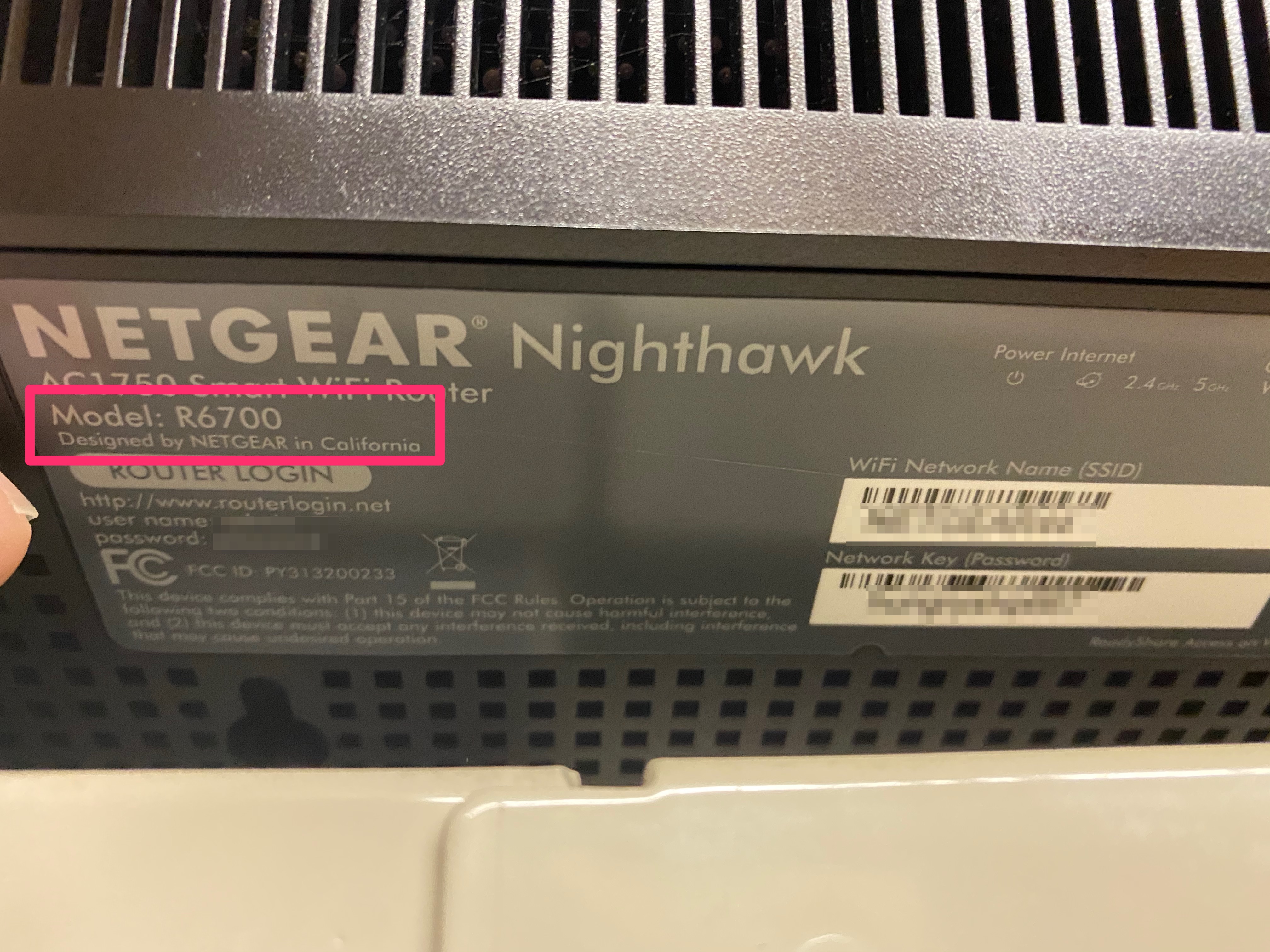
What is its current firmware version?I confirmed it by looking at the model number sticker on the botton of the router (see attached screenshot) and on the Admin page when logged in. The current firmware version installed is V1.0.2.8_10.0.53
- r6700v1Jul 07, 2020Apprentice
It worked for me.
- antinodeJul 07, 2020Guru
> I confirmed it [...]
You convinced me. Now, if you could convince the router, ...
You might try to install the same version as you're currently
running, which might tell you just who's confused more.Assuming that you're really specifying that ".chk" file (and if you
weren't, then I'd expect a different error message), it would appear
that the router is confused to the point where it can't tell "correct"
from incorrect. Or your ".chk" file is corrupt. You did extract yours
from the ".zip" archive, right? (Not just renamed something else to
".chk"?)If you get desperate, then you might try using the TFTP recovery
procedure to cram a fresh firmware image down its throat. See, for
example:https://community.netgear.com/t5/x/x/m-p/1622096#M102004
Doing that with some random file could be the last thing you do with
that router.- midihead7Jul 07, 2020Aspirant
antinode wrote:Assuming that you're really specifying that ".chk" file (and if you
weren't, then I'd expect a different error message), it would appear
that the router is confused to the point where it can't tell "correct"
from incorrect. Or your ".chk" file is corrupt. You did extract yours
from the ".zip" archive, right? (Not just renamed something else to
".chk"?)
I replied to this earlier today and now I see that the reply is no longer in this thread so here it is again...I re-downloaded the latest hot fix and extracted it (I didn't rename the .zip file) and tried manually installing it and still get the same error message. I also tried reinstalling the current version I'm already running and I get the same error with that too. I didn't have any problems updating to my current version before but that one was installed through the router admin and was downloaded and installed that way, not manually.