NETGEAR is aware of a growing number of phone and online scams. To learn how to stay safe click here.
Forum Discussion

twaw001
Jan 03, 2022Tutor
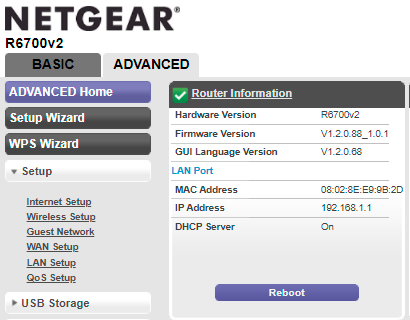
R6700v2 No option shows for Remote Management at all, Nighthawk app won't reboot
I'm trying to establish a way to remotely reboot the router. I'm currently at the router location. I recently had an internet outage but power was on, and I couldn't reboot it remotely, so i'm tryi...

schumaku
Jan 03, 2022Guru - Experienced User
twaw001 wrote:
Plus it seems the Nighthawk app only has an option to reboot if I'm connected to the same network, it doesn't function when connected via cellular. Is that correct?
Don't think this is appropriate. Remote rebooting e.g. the R9000 while connected on the mobile network only, using the Nighthawk App by Anywhere Access works flawless, like any other Nighthawk App function. Needless to say, this requires a workable Netgear cloud connection. Without, yeah - no chicken, no egg.
In an attempt to minimize the potential access vectors (and to answer security related questions like intrusion prevention, offer https for all routers, provide certificate based auth on https only, ...) I believe Netgear is in a process of removing the port based remote access as part of their regular firmware maintenance, retaining the local and the App based cloud access only. This changes the name of the menu item there from Remote Management to Web Based Management, too.
twaw001
Jan 05, 2022Tutor
Thanks for the replies, that clarifies things. I just tried the app again and now it's working over cellular connection. Odd, I tried several times before and it didn't work, I'd also rebooted phone, etc. I did clear the phone memory cache yesterday to resolve an intermittent issue on my phone, maybe that did it. Anyway, it's working now, many thanks!