NETGEAR is aware of a growing number of phone and online scams. To learn how to stay safe click here.
Forum Discussion

Holmis
Oct 11, 2023Guide
R6700v3 OpenVPN not working
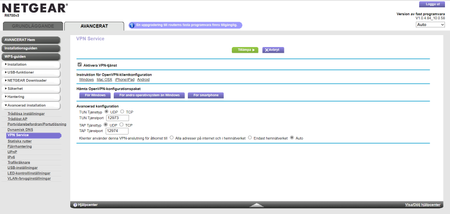
Can not get OpenVPN to work... I have followed the instructions below. see attached log file... something about "TLS error: Unsupported protocol."?? log Regards Holmis
Holmis
Nov 05, 2023Guide
Thank for the answer, but is it in the OpenVPN client I need to change or in the router?
I cant find any "Insecure" setting in my client or do you recommend a version of the client?
I use OpenVPN GUI or is there another better OpenVPN client?
regards
Stefan Holmgren
Holmis
Nov 05, 2023Guide
Ok... downloaded "OpenVPN Connect" and found the advanced setting...
but now I cant import the profile?!?...
- KitsapNov 05, 2023Master
Holmis wrote:Ok... downloaded "OpenVPN Connect" and found the advanced setting...
but now I cant import the profile?!?...
Repeat question: What type of device are you running the client application on? Android, Windows, ??
I cannot see an inserted image until a moderator approves it. If you attach an image, I can see it as soon as it is posted.
 abdseaNov 05, 2023Guide
can you post your profile trying to import? please blank out your domain name or other private information. The option file contains error without looking if i have to guess
proto option has some invalid characters or some information. Proto can only be TCP or UDP please check that. For most VPN configuration you need to have this set to UDP so can tolerate some errors.
- HolmisNov 06, 2023Guide
Hi... the profile looks like this.. (client1.ovpn)
------------------------------------
client
dev tap
proto udp
dev-node NETGEAR-VPN
remote xxx.xxx.xxx.xxx 12974
resolv-retry infinite
nobind
persist-key
persist-tun
ca ca.crt
cert client.crt
key client.key
cipher AES-128-CBC
comp-lzo
verb 5-------------------------------
regards
Stefan
