NETGEAR is aware of a growing number of phone and online scams. To learn how to stay safe click here.
Forum Discussion

justin_esta
Apr 20, 2018Tutor
R6900P. Nighthawk AC1900 Smart WiFi MuMimo
Help needed, I woke up to find out that my fully functioning wireless router has stopped working. The power light remains amber and no other color. It includes two other white LED buttons on Guest Wi...
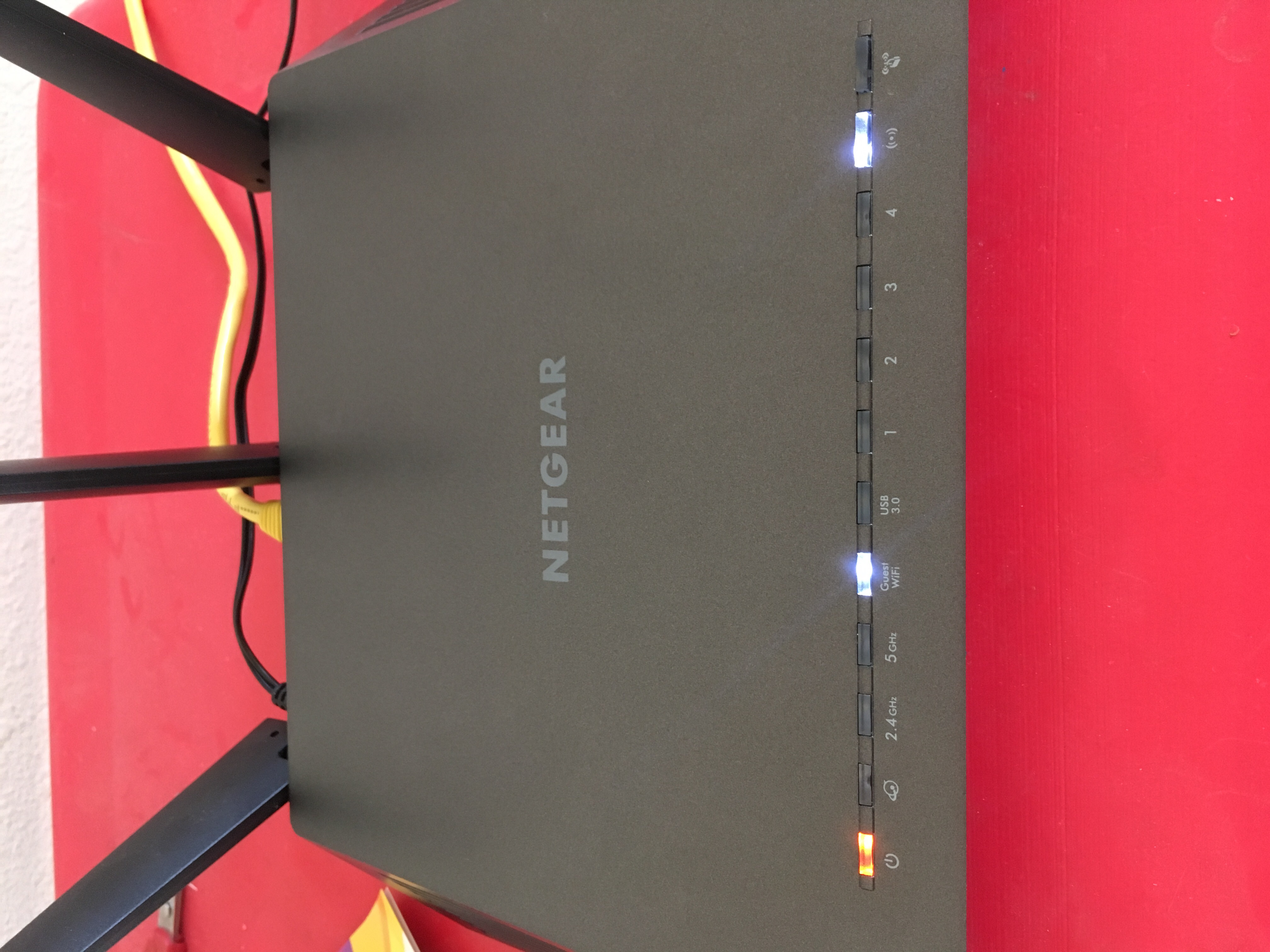
- May 05, 2018
Did you try tftp?
I'll repeat what I said before:
How to upload firmware to a NETGEAR router using TFTP | Answer | NETGEAR Support
That is a bit out of date in that it does not tell you that Windows has a TFTP function built in, you just have to enable it.
- Control Panel
- Programs and Features
- Turn Windows features on or off
- TFTP client - enable
That's probably easier than retrieving software from a website.

michaelkenward
Apr 21, 2018Guru - Experienced User
Your router may have been set up to update the firmware automatically. The light you see is a sign of a broken firmware update.
If your device is still under warranty, I'd start the RMA process.
The most often recommended way of trying to fix this yourself is described here:
How to upload firmware to a NETGEAR router using TFTP | Answer | NETGEAR Support
That is a bit out of date in that it does not tell you that Windows has a TFTP function built in, you just have to enable it.
- Control Panel
- Programs and Features
- Turn Windows features on or off
- TFTP client - enable
That's probably easier than retrieving software from a website.
This process is not for the faint hearted. Hence the warranty option.
 JamesGLApr 26, 2018NETGEAR Employee Retired
Hi justin_esta,
Have you tried the suggestion of michaelkenward?
We’d greatly appreciate hearing your feedback letting us know if you need further assistance.
- justin_estaApr 26, 2018Tutor
I was having troubles trying to hard reset my router. When I followed the instructions on rresetting the router, the device did not have a green LED, but instead continued to have the same LED's as explained before. That was the last step needed to upgrade the firmware.
- michaelkenwardApr 27, 2018Guru - Experienced User
Sorry, I don't understand you reply. Are you saying that you are still stuck?
justin_esta wrote:
When I followed the instructions on rresetting the router, the device did not have a green LED, but instead continued to have the same LED's as explained before.
First, the LED will not go green. Normal behaviour is a white LED.
If a simple reset does not change things, try this:
- Press reset for 30 seconds
- Keep pressing reset while removing power
- Keep pressing reset for another 30 seconds while apply power