NETGEAR is aware of a growing number of phone and online scams. To learn how to stay safe click here.
Forum Discussion

Pretzel1
Jun 21, 2017Aspirant
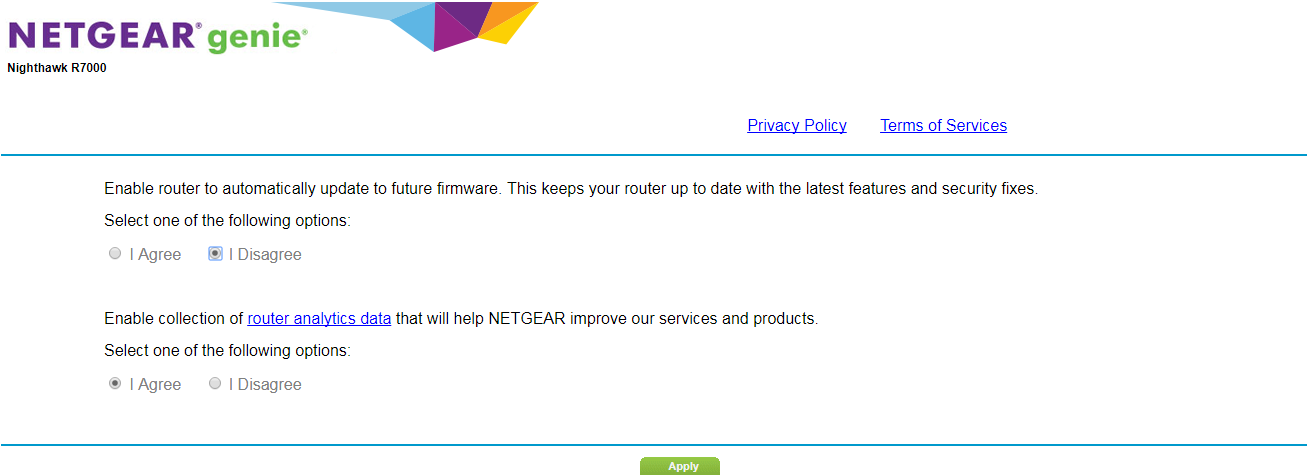
R7000 Auto Update came down even though I have it disabled
I had no internet access yesterday morning so I restarted the router and checked the log and it shows that it did a firmware update [Initialized, firmware version: V1.0.8.34] Wednesday, Oct 31,2018 0...
 Aug 03, 2017
Hi Pretzel1,
I have tried to disable the Auto firmware update of my R7000. After 24 hours it is still on the same firmware and did not auto update.
88rickernst
Jun 21, 2017Aspirant
How do Idownload a firmware security update? I do not have a wired connection to the internet only by way of this router. at routerlogin.net I do not have a user name but I have a password. How important is this firmware update? What if I just forget about the whole complicated process?
- FURRYe38Jun 21, 2017Guru - Experienced User
If the router is working ok, then I would avoid updating FW.
If you want to update the FW, find a PC or a friend or neighbor with a wired LAN cable PC to use to update the FW on the router. DO not update over a wireless connection.
Factory reset the router after downloading the FW file, send the FW file using IE11 or FF browser, factrory reset the router then set up from scratch.
88rickernst wrote:How do Idownload a firmware security update? I do not have a wired connection to the internet only by way of this router. at routerlogin.net I do not have a user name but I have a password. How important is this firmware update? What if I just forget about the whole complicated process?
- 88rickernstJun 21, 2017Aspirant
thanks, Furrey
