NETGEAR is aware of a growing number of phone and online scams. To learn how to stay safe click here.
Forum Discussion

MC72
Nov 17, 2020Aspirant
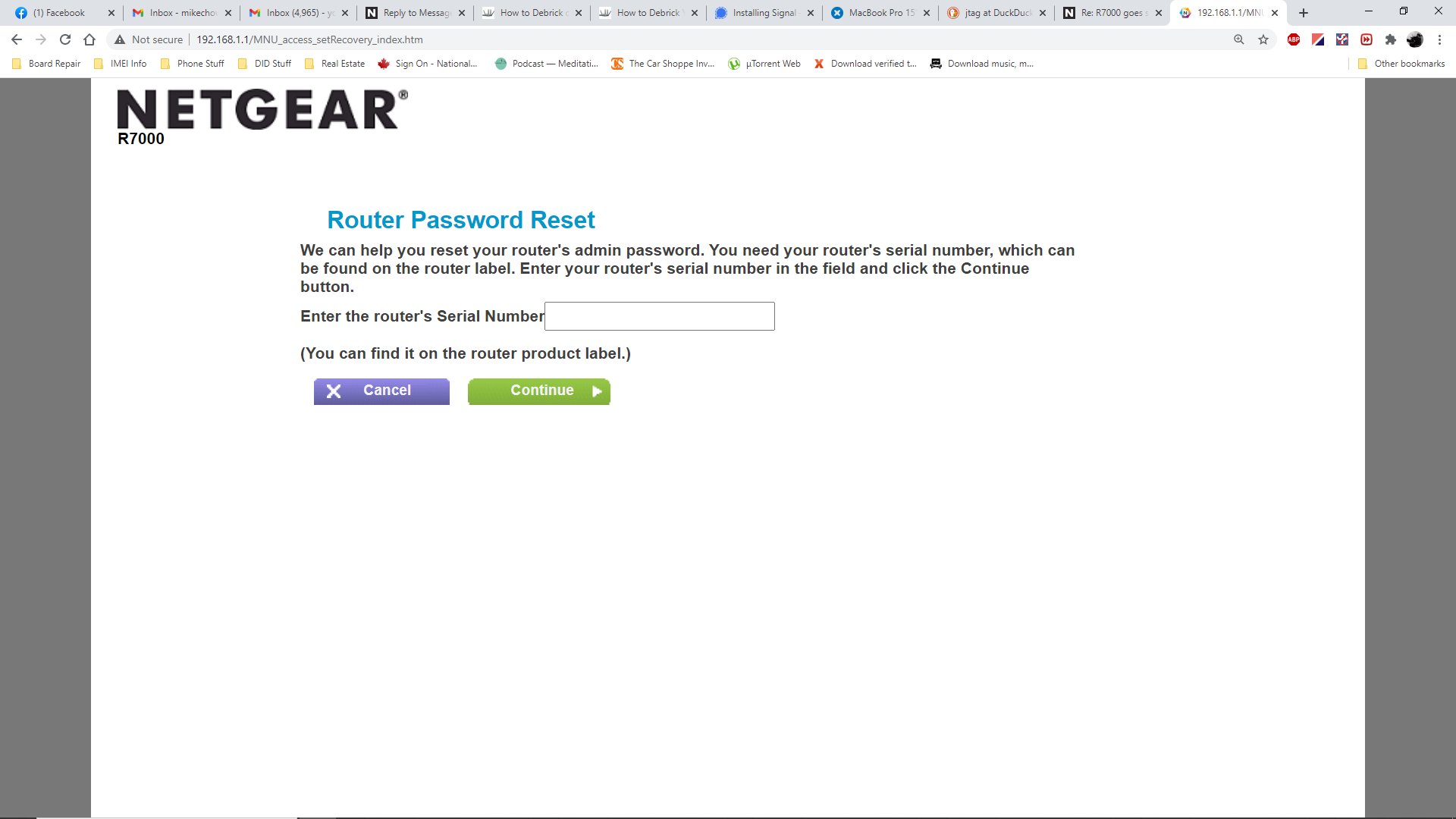
R7000 goes straight to http://192.168.1.1/MNU_access_setRecovery_index.htm
Hi all - I stupidly upgraded my firmware using wifi instead of flashing it manually (which I'll do from now on!) since I rebooted post-upgrade, it lets me use my username/password for router security but then directs me to http://192.168.1.1/MNU_access_setRecovery_index.htm as if I was trying to change my router administrator credentials, and asks for the router serial number. It then states "The information you entered does not match what is saved on the router. Please enter it again.". And for the record, yes I am entering the correct serial number - no mixed up l's for 1's etc.
I have tried resetting many times to no avail, it appears to be stuck in this state with no way out. Any suggestions anyone?
Thanks in advance!

11 Replies
- MC72Aspirant
Further to my question, I also tried flashing the firmware directly using an ethernet cable and cmd.exe using TFTP server but it responds with a "Failed connection request" error...I'm one step away from buying the cable to JTAG to the pinouts, but I thought I'd throw a hail Mary here first. Any suggestions greatly appreciated :)
> [...] I stupidly upgraded my firmware using wifi [...]
It's not obvious that that matters in this case.
> [...] it lets me use my username/password for router security but then
> directs me to http://192.168.1.1/MNU_access_setRecovery_index.htm as if
> I was trying to change my router administrator credentials, [...]I'd interpret that behavior as the opposite of "it lets me".
Apparently, it does _not_ let you, or you wouldn't be looking at the
password recovery screen. Which may or may not be too buggy to work
correctly.> [...] yes I am entering the correct serial number [...]
Everyone believes that. Some are correct. How many characters are
there in your "the correct serial number"? (Hint: Don't say "twelve".)
In any case, it's tough for anyone to tell from a distance whether
you're using the right password or not.
> [...] I have tried resetting many times to no avail, [...]"tried" _how_, exactly? Which kind of "no avail" is this? Did your
"tried resetting" not cause the LEDs to flash as if something special
was happening, or did an obviously effective settings reset not restore
the default "admin" credentials, or what? If you did do a settings
reset, are you now trying to use the _default_ credentials?Visit http://netgear.com/support , put in your model number, and look
for Documentation. Get the User Manual. Read. Look for "Types of
Logins" and "Factory Settings". Further reading might not hurt, either.
> [...] I also tried flashing the firmware directly using an ethernet
> cable and cmd.exe using TFTP server [...]
If you can get any reasonable response using a web browser, then the
TFTP recovery scheme is probably a waste of time and effort, but even if
it weren't, the TFTP recovery scheme is a multi-step procedure which
offers multiple opportunities for user input, hence user error. By
itself, saying that you "tried" it doesn't say much.A useful problem description would reveal what you did as well as
what happened when you did it. As usual, showing actual actions
(commands) with their actual results (error messages, LED indicators,
...) can be more helpful than vague descriptions or interpretations.- MC72Aspirant