NETGEAR is aware of a growing number of phone and online scams. To learn how to stay safe click here.
Forum Discussion

JadKh
Mar 26, 2020Aspirant
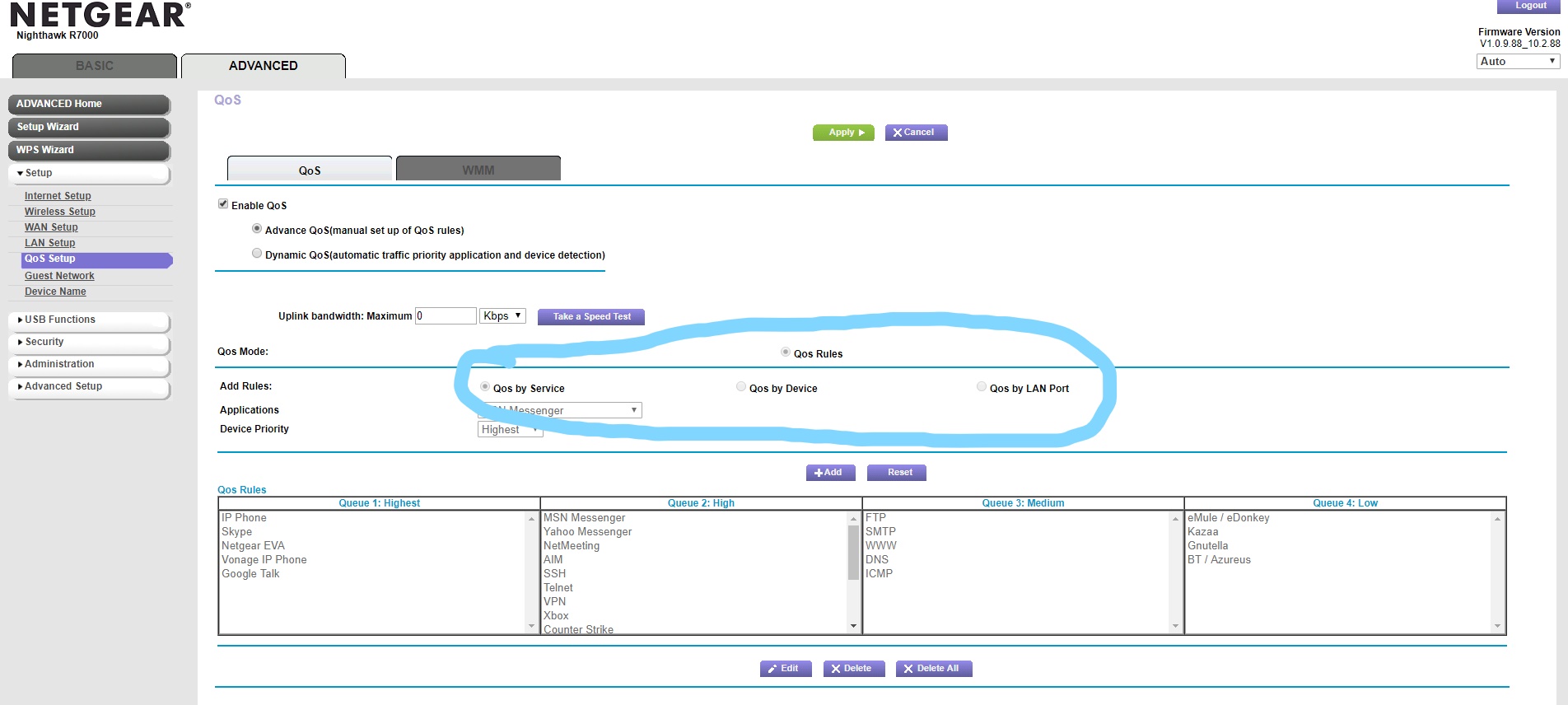
R7000 Qos Issue (the Qos rule and options are greyed out and i cannot use them)
I recently upgraded form a Dlink router to an R7000 mainly for Qos gaming. So when i opened the Qos settings and went to advanced mode, i couldnt set it by device, service, or LAN port. all the QOS r...
_LI.jpg)
- Mar 26, 2020
Firmware version V1.0.9.88 is loaded with issues, It is suggested that the only good version is to downgrade to .42.
If you installed the .88 version after purchase you could try a reset and manual reconfigure as this latest firmware causes issues if loaded on top of older firmware. If you do a reset, besure to hold reset button in for 10 to 15 seconds or until the lights start flashing. Just a poke does not do a reset.

labatt
Mar 26, 2020Mentor
Firmware version V1.0.9.88 is loaded with issues, It is suggested that the only good version is to downgrade to .42.
If you installed the .88 version after purchase you could try a reset and manual reconfigure as this latest firmware causes issues if loaded on top of older firmware. If you do a reset, besure to hold reset button in for 10 to 15 seconds or until the lights start flashing. Just a poke does not do a reset.
JadKh
Mar 27, 2020Aspirant
I did as you stated and it worked as a charm, I downloaded the 1.0.9.42 firmware and Qos now is available. Thanks!