NETGEAR is aware of a growing number of phone and online scams. To learn how to stay safe click here.
Forum Discussion

markymark22
Feb 27, 2019Aspirant
R7000P bricked tftp not possible
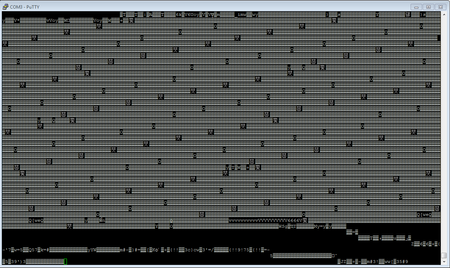
After a firmware update went bad I am unable to reset or reflash my router. I has a USB-TTL cable connected to the internal header but what is coming back looks like complete jibberish, can an...
- Feb 28, 2019
Worked it out. Pin connections from left to right with the router facing you (serial header on front right of board) should be Tx, Rx, Gnd. 4th pin (most right) not connected. Data comes through fine with 115200, 8-N-1 settings
antinode
Feb 27, 2019Guru
> [...] I has a USB-TTL cable connected to the internal header but what
> is coming back looks like complete jibberish, [...]
Bad serial-line characteristics (speed, bits, parity, ...)?
> [...] tftp has not proved possible as the router seems to be cycling
> itself [...]
Forget "ping", and try to find a timing window?
> Screenshot attached.
In-line images in these forums must wait for moderator approval, so I
can't see yours yet. (An attached file incurs no such delay.) Some
little description would be nice, even if the pictures were visible.
Copy+paste of plain text can be more useful than pictures of plain text.
markymark22
Feb 28, 2019Aspirant
Hopefully the screenshot is attached this time rather than embedded.

- markymark22Feb 28, 2019Aspirant
Worked it out. Pin connections from left to right with the router facing you (serial header on front right of board) should be Tx, Rx, Gnd. 4th pin (most right) not connected. Data comes through fine with 115200, 8-N-1 settings
- markymark22Feb 28, 2019Aspirant
Just to add - if you are using the TTL cable to flash back to stock firmware then once the process has completed you will need to remove the static IP from the ethernet connected computer else you will only reach the first setup page (auto update and data gathering) before moving onto the routerlogin.net page which will not load. If you have the serial connection still up you will see "handle_genie: don't know how to process url". Make your static IP a dynamic one and reconnect and all will be good. That one had me spinning my wheels for a bit before locating this.