NETGEAR is aware of a growing number of phone and online scams. To learn how to stay safe click here.
Forum Discussion

dougwms
Mar 03, 2019Aspirant
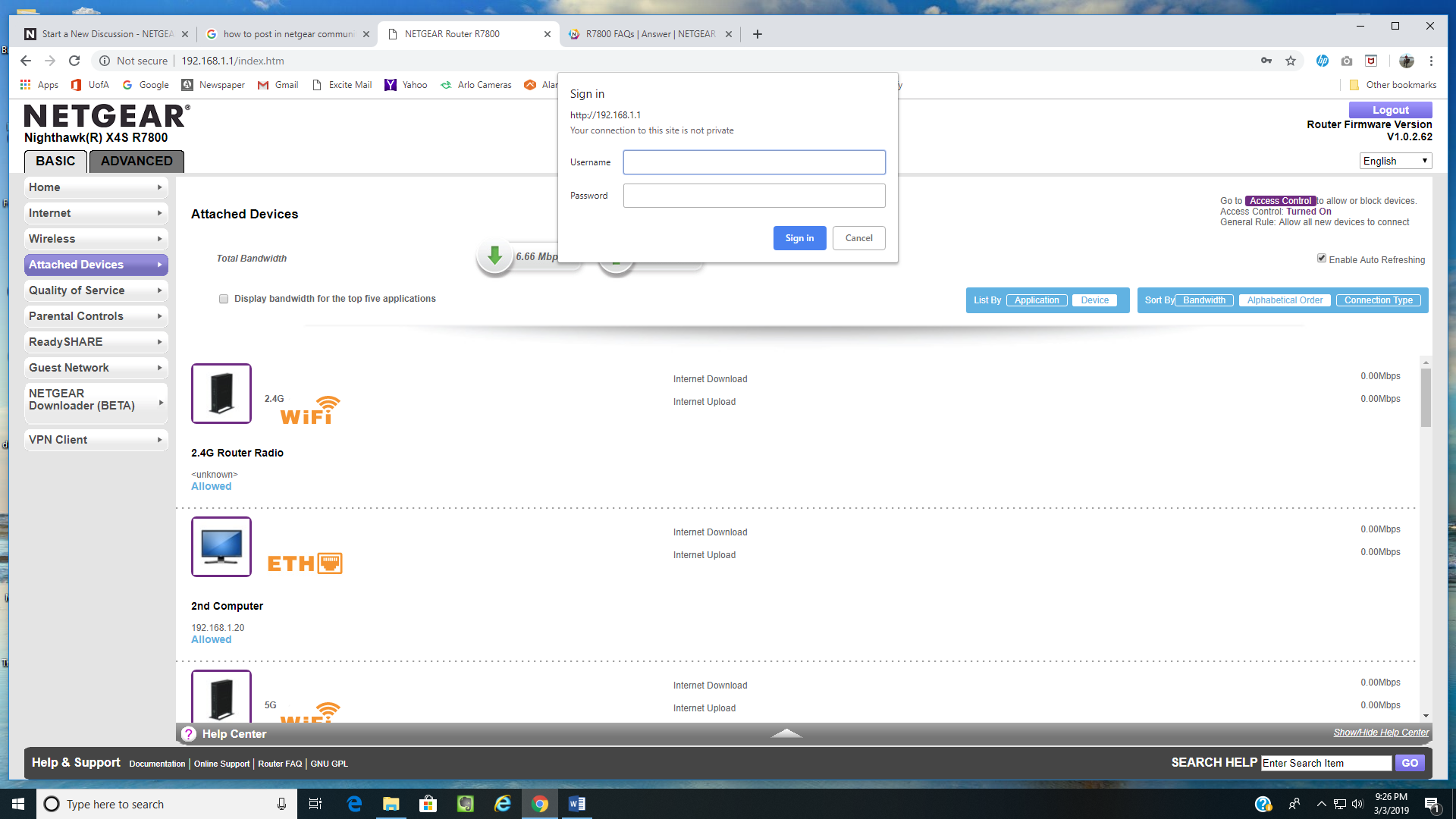
R7800 login problems following a successful login.
Running upgrade v1.0.2.62, I log into my router at http://192.168.1.1 and enter the program successfully. However, as soon as I make a selection from the BASIC or ADVANCED menu such as ATTACHED DEVIC...
- Mar 11, 2019
Thanks again for all the help. I have resolved my original issue by following the suggestions provided here for factory reset, manual configuration, and a less complicated password. I have since learned that my R7800 and ZyXel C1100z are not properly configured. I have gone to the links provided by michaelkenward and realize that I need to make setup changes in order to maximize the capabilities of my R7800. I will do my best to configure the changes, but also realize that's a different problem than my original one and there are good resources for that elsewhere in this forum. So I am going to post this and then indicate that this problem has been solved - thanks.

michaelkenward
Mar 05, 2019Guru - Experienced User
dougwms wrote:
I also appreciate the information about my ZyXel DSL modem. I currently have it configured for PPPoE with dynamic IP. It's only hardwired connection is to the AC2600 router and the ZyXel wireless radio is turned off.
Turning off the wifi does not disable the router bit of the ZyXel DSL modem router.
This means that you have that and your R7800 both trying to work as routers on the network. Not a good idea.
If the only thing you want the R7800 to do is to be a wifi source, then putting it into AP mode (see the manual) would work. But if you want to use the various router features of this router, which are almost certainly better than those on the ZyXel router, then you should put that into modem only mode.
The details of "Transparent Bridging" aren't clear to me. ("Bridging" is one of those terms that gets used in different ways, to describe a Wireless Distribution System, for example.) I would try it and see if it works. You can always revert if things go haywire.
This old message might help:
Nighthawk R7000 bridging help with CenturyLink ZyX... - NETGEAR Communities
dougwms
Mar 11, 2019Aspirant
Thanks again for all the help. I have resolved my original issue by following the suggestions provided here for factory reset, manual configuration, and a less complicated password. I have since learned that my R7800 and ZyXel C1100z are not properly configured. I have gone to the links provided by michaelkenward and realize that I need to make setup changes in order to maximize the capabilities of my R7800. I will do my best to configure the changes, but also realize that's a different problem than my original one and there are good resources for that elsewhere in this forum. So I am going to post this and then indicate that this problem has been solved - thanks.