NETGEAR is aware of a growing number of phone and online scams. To learn how to stay safe click here.
Forum Discussion

SidJacks
Nov 27, 2022Aspirant
R8000 Internet port not working
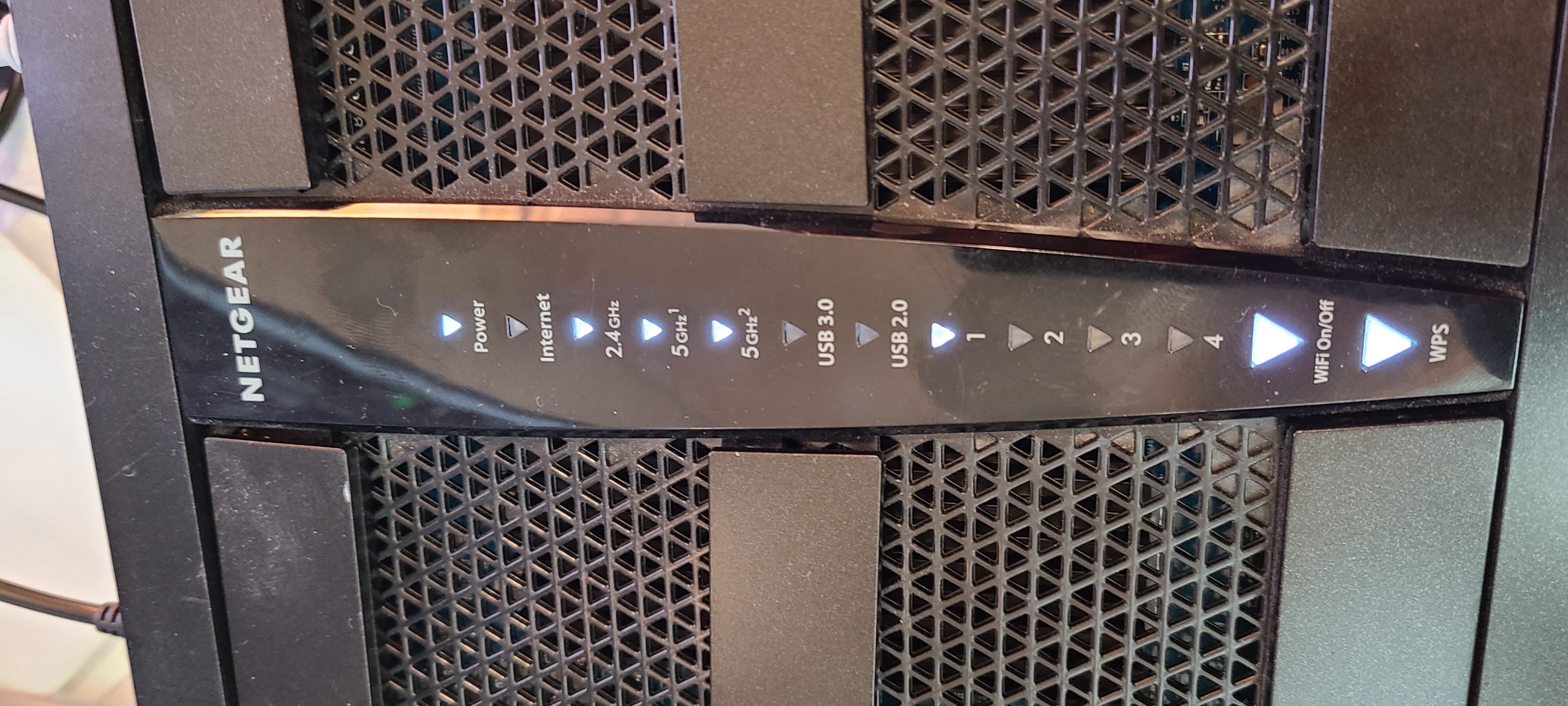
Hello all. I am trying to get my R8000 to successfully connect, but nothing is lighting up the Internet Port. I have tested with other cables on a different router and the cables are good. A loopb...

SidJacks
Nov 28, 2022Aspirant
Thanks for the response. 2 things to now provide.
1. When I power on the router, the internet light comes on with all of the others during the boot sequence. So I know it's not just a blown led or anything.
2. Since I'm now in AP mode and I ran an ethernet cable from one of the modems lan ports (out) to lan 1 on the r8000 (in) that port is now lit.
I guess I try to connect to the router wirelessly and see if I have data?
1. When I power on the router, the internet light comes on with all of the others during the boot sequence. So I know it's not just a blown led or anything.
2. Since I'm now in AP mode and I ran an ethernet cable from one of the modems lan ports (out) to lan 1 on the r8000 (in) that port is now lit.
I guess I try to connect to the router wirelessly and see if I have data?
SidJacks
Nov 28, 2022Aspirant
Update. After about 30 min, that LAN 1 port that was white in the last pic went orange.
I had not done anything else since the last reply.
I'm certain I'm just overlooking something simple at this point.
I had not done anything else since the last reply.
I'm certain I'm just overlooking something simple at this point.
- FURRYe38Nov 28, 2022Guru - Experienced User
What CAT# lan cable are you using? Might check your cabling and jacks for good operation.
CAT6 is recommended.
- SidJacksNov 28, 2022AspirantThis particular cable that I took from a known working device is 5e.
I tried something else.
I held the wifi on/off button until it turned off and moved the cable back to internet port.
Internet light on the panel is now a slow blinking orange.- FURRYe38Nov 28, 2022Guru - Experienced User
So disconnect everything from the router.
Press the reset button for 10 seconds then release. Unplug the power adapter from the wall out let for 30 seconds, then back in.
Have one wired PC connected to the router.
Walk thru the setup wizard, you can manually setup the router and get to the home screen. Use MS Edge for this.
What FW is loaded on the router?
- SidJacksNov 28, 2022AspirantMoved down the line to ports 2, 3, and 4. All flashing orange.
The only solid lights are Power, wifi on/off, and was.
2.4, 5G1, and 5G2 are all rapid blinking white