NETGEAR is aware of a growing number of phone and online scams. To learn how to stay safe click here.
Forum Discussion

DirtyWilly
Aug 20, 2021Star
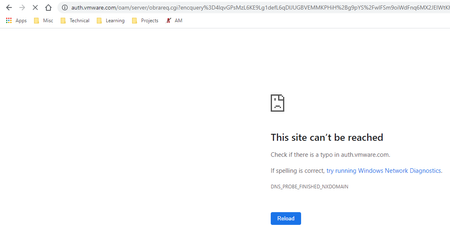
R8500 Latest Firmware Version V1.0.2.154 Broke DNS!
Hello, the latest firmware version V1.0.2.154 for the R8500 router appears to have broken DNS! I have to refresh pages multiple times to get them to load. Attached is the most common error. DNS_PR...
DirtyWilly
Jan 06, 2022Star
I WFH as well so a stable home connection is important. However, I do enjoy gaming and it tends to dictate my hardware choices. The Asus has a dedicated LAN port just for gaming, takes priority over all network traffic among other updated packed-features.

CaledonKen
Mar 15, 2022Star
Any posters on this thread that were having DNS issues with the previous firmware releases, have you tried version 158? Do the issues still persist?
- SSP2020Mar 15, 2022Guide
I'm still using V1.0.2.144 and not upgraded to V1.0.2.158 as I don't want to Screw my work from Home.
if anyone upgraded please share the Experience.- FURRYe38Mar 15, 2022Guru - Experienced User
"If it works, don't fix it."
 webleeMar 15, 2022Guide
I did…not as consistent a problem but the same issues. The problem is I have not been able to erase and down rev to eliminate these issue!
- FURRYe38Mar 16, 2022Guru - Experienced User
Should be able to factory reset and download older FW:
https://kb.netgear.com/23960/How-do-I-manually-update-the-firmware-on-my-NETGEAR-router
I recommend using the ERASE button under Advanced tab/Admin/Backup
weblee wrote:
I did…not as consistent a problem but the same issues. The problem is I have not been able to erase and down rev to eliminate these issue!
