NETGEAR is aware of a growing number of phone and online scams. To learn how to stay safe click here.
Forum Discussion

alternet
Nov 27, 2020Tutor
R9000 is rebooting several times a day without any known reason
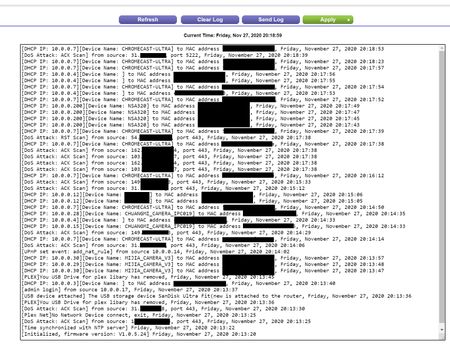
Hi all, I do have a problem with my R9000 which is rebooting several times a day without known to me reason. Checking the log, I can see only the information from the moment it started up then f...
- Dec 01, 2020
Have you tried downgrading the firmware a version? maybe the one you're on has a bug/issue
alternet
Dec 01, 2020Tutor
Hi plemans,
I have followed your advice I after the reset and reload of the firmware I notice about twice less reboots then previously - but it still restarting without any known to me reason.
Seems, it is for change,
Thanks
/me

plemans
Dec 01, 2020Guru - Experienced User
Have you tried downgrading the firmware a version? maybe the one you're on has a bug/issue
- alternetDec 02, 2020Tutor
Hi plemans ,
Thanks! I have downgraded to V1.0.5.18, and now for 13h31m it is up and running.
Hope this is the solution!
Many thanks one more time.
Kind regards,
/me
- alternetDec 02, 2020Tutor
Sorry plemans ,
I had to take away the earlier given Kudos. The router restarted again just a few minutes ago.
So this problem is not solved yet.
Any other ideas? ...please :)
Kind regards
/me
- plemansDec 02, 2020Guru - Experienced User
Take away kudo's? like i'm not helping?
A couple things you can try.
1. check your power supply. They're tough to check because if they fail, its usually underload and its tough to check them under load. If you have a matching power supply, (same voltage, at least the same amperage, and same polarity) you can swap them out to see if the power supply is whats failing.
2. Failing that, try disabling bandsteering/smart connect and spread out your devices between the 2 bands a bit.
3. Disable 60hz broadcast. Nothing uses it anyway. Disable it.