NETGEAR is aware of a growing number of phone and online scams. To learn how to stay safe click here.
Forum Discussion

Mike_Soda
Apr 13, 2022Aspirant
7800 Client Mode?
Is it possible to setup my R7800 as a client? I used to have my own connection through Sparklight I originally bought it for a couple years ago. Unfortunately now I'm in an appartment & trying to avoi...

FURRYe38
Apr 15, 2022Guru - Experienced User
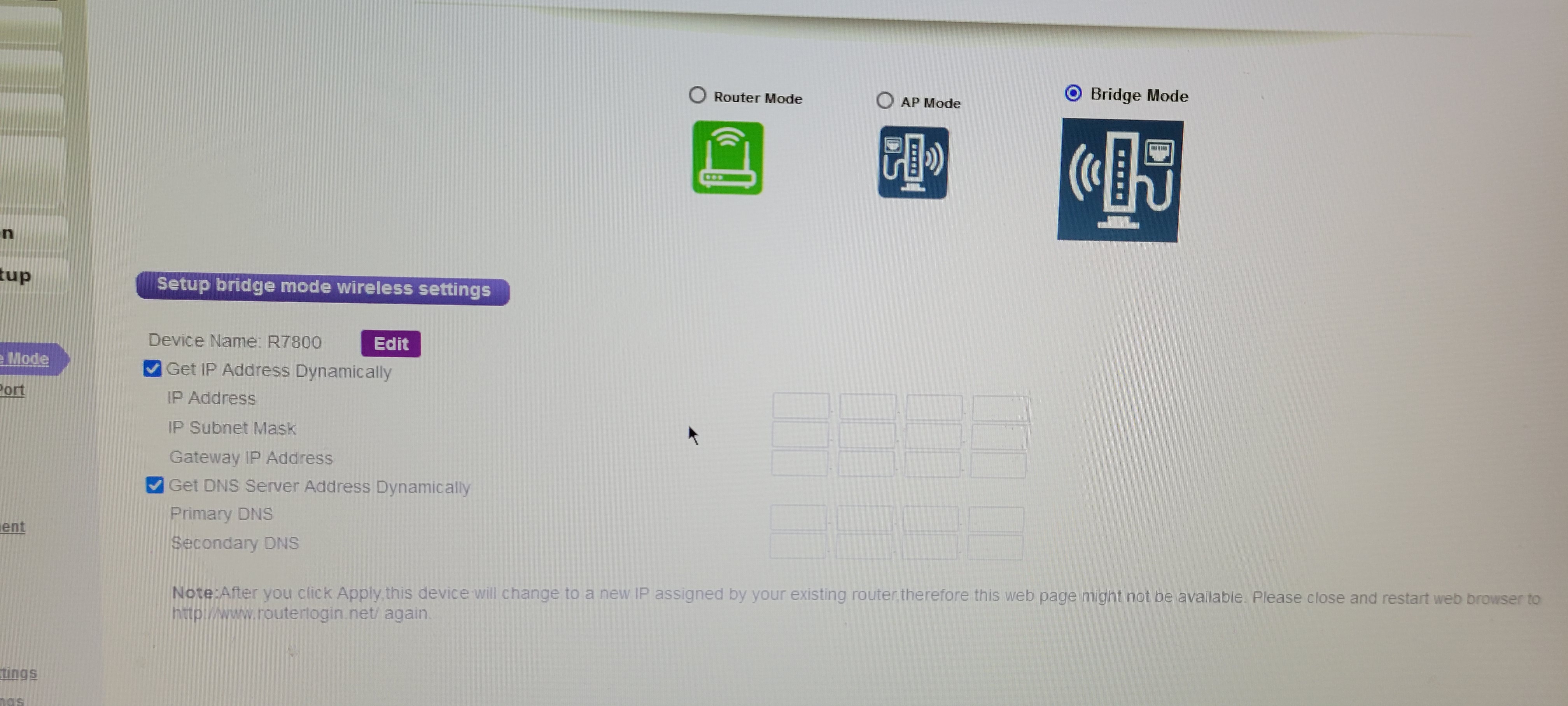
Are you setting up the R7800 for Dynamic or static IP addressing when configuring the Bridge mode settings?
How is the modems wifi configured? SSID name, CHANNELS and WPA mode?
"Probably a Hiltron CGNM-2250."
Mike_Soda wrote:
Unfortunately it wont, settings attempt to apply but then the page refreshes & says unable to connect. From that point forward I can't log into my modem at all. Acts as if it's bricked, have to use that tiny pin reset button on back to reset the modem to factory defaults.
Mike_Soda
Apr 19, 2022Aspirant
Bridge Wireless Info
- FURRYe38Apr 20, 2022Guru - Experienced User
That should work.
Look at the R7800s Advanced tab page to see the status of the connection...
- Mike_SodaApr 29, 2022AspirantI can't, once I apply the settings for bridge mode it logs me out of the router & is inable to sign back in. I have to factory reset in order to sign in & setup router with default settings all over again. At that time it just says disconnected no internet access.
- FURRYe38Apr 29, 2022Guru - Experienced User
If you set a static IP while in the same range on the R7800 for bridge mode as the host routers IP address pool range, you can access the R7800 while in bridge mode using the IP address you input for static IP. I used 192.168.#.78.