NETGEAR is aware of a growing number of phone and online scams. To learn how to stay safe click here.
Forum Discussion

kityowah
Sep 07, 2016Aspirant
Can not login to netgear R7000 router after factory reset
Can not login to netgear R7000 router after factory reset. All I get is connecting and after 10 minute I hit cancel and it goes to Router Password Recovery. I put in serial # of router and the ...
Retired_Member
Sep 07, 2016Push the reset until power led flashes then use defaults on router label
If you read the manual you'd have known how to access it when the password doesn't work .................You reset to factory defaults...............read it again!
Nowhere in the manual does it say use serial number............Furthermore if you had reset it correctly the recovery page would had never shown as an option
kityowah
Sep 08, 2016Aspirant
Re: Can not login to netgear R7000 router after factory reset
2016-09-07 12:19 PM
Push the reset until power led flashes then use defaults on router label
If you read the manual you'd have known how to access it when the password doesn't work .................You reset to factory defaults...............read it again!
Nowhere in the manual does it say use serial number............Furthermore if you had reset it correctly the recovery page would had never shown as an option
Here is how the Router Password Recovery shows up!
First……
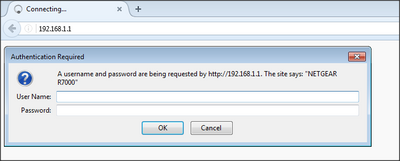
next.....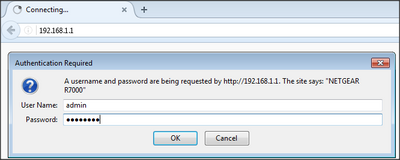
after 5 minutes of this...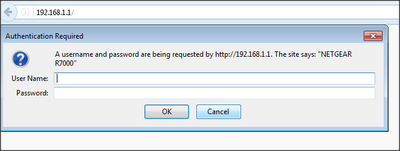
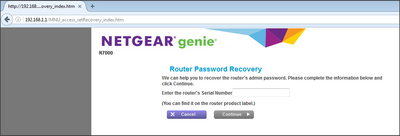
- Retired_MemberSep 08, 2016
try clearing browser cache and or Use IE
If using genie App don't.......... Open browser using PC connected to Lan port ......Again if the reset is done correctly the Router Recovery Password would not show up, WHY?........... because the factory default settings don't include Password recovery. To me it appears the factory reset is either not being done correctly or the router FW is corrupt.
when posting a picture ...crop it so we can read it ....
- kityowahSep 09, 2016Aspirant
searay
2016-09-08 05:04 AM
try clearing browser cache and or Use IE
If using genie App don't.......... Open browser using PC connected to Lan port ......Again if the reset is done correctly the Router Recovery Password would not show up, WHY?........... because the factory default settings don't include Password recovery. To me it appears the factory reset is either not being done correctly or the router FW is corrupt.
when posting a picture ...crop it so we can read it ....
*********************************
Have cleared browser cache and tried using IE. Not using Genie app.
If the reset is not being done correctly then the manual is wrong.
Factory Settings
You can return the router to its factory settings. Use the end of a paper clip or a similar object
to press and hold the Reset button on the back of the router for at least seven seconds. The
router resets, and returns to the factory configuration settings shown in the following table.
Page 192….Nighthawk, AC1900 Smart WiFi Router, Model R7000, User Manual
How can the router FW be installed again without being able to log into the router?
Were is the crop button and or procedure to crop a picture on this forum?
- Retired_MemberSep 09, 2016
did you push reset until power led flashes?