NETGEAR is aware of a growing number of phone and online scams. To learn how to stay safe click here.
Forum Discussion

nodaicrag
May 31, 2017Aspirant
Remote Management
I live abroad and before I left the USA, I turned on remote management on my R6900. I wrote down the Remote Management Address and allowed access by Everyone. I noted the port number too. I also sign...
- Jun 07, 2017
I am now able to connect remotely. I had to just do the same thing as was previously advised from the earlier thread I had posted. I had a friend log into the router and change the LAN IP value to a 3, that is 168.1.3.1 and I am now able to connect remotely from Thailand to use the VPN feature and connect to Netflix.
Here is the solution from a different thread: https://community.netgear.com/t5/Nighthawk-WiFi-Routers/VPN-R7900-Connected-to-home-but-no-internet/td-p/1255169
nodaicrag
Jun 01, 2017Aspirant
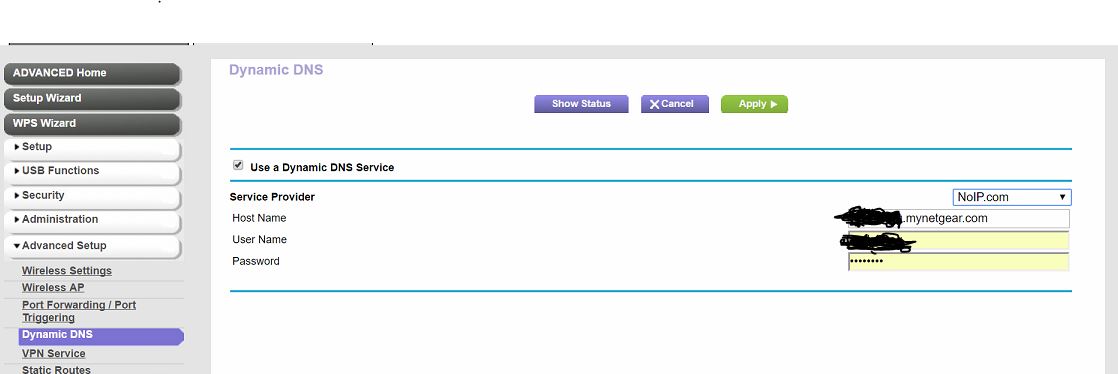
Yes. I'm not sure if Netgear has a deal with no-ip, but you don't have to pay for a subscription fee and get up to 3 hostnames. 1 hostname is setup from my parents house and that VPN works from abroad, but not remote access, just as a VPN I use to access Netflix. The one I am having problems with now is setup with a netgear router too, but a different model (6900 vs 7900). I am trying to first establish remote access because the VPN connection to my California flat is not working, which is why I started this thread and another thread for the VPN message I am receiving causing me not being able to connect the VPN to my California home (https://community.netgear.com/t5/Nighthawk-WiFi-Routers/VPN-setup-and-shows-connected-but-on-log-file-says-backtrack/td-p/1294089). Thanks for the link, but the message and pull-down menu I get from my netgear router after selecting no-ip is the format of XXXXX.mynetgear.com.
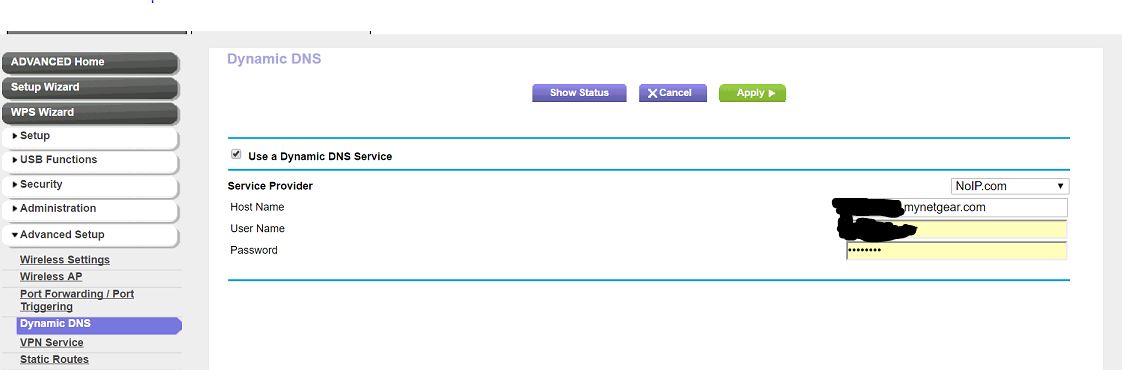
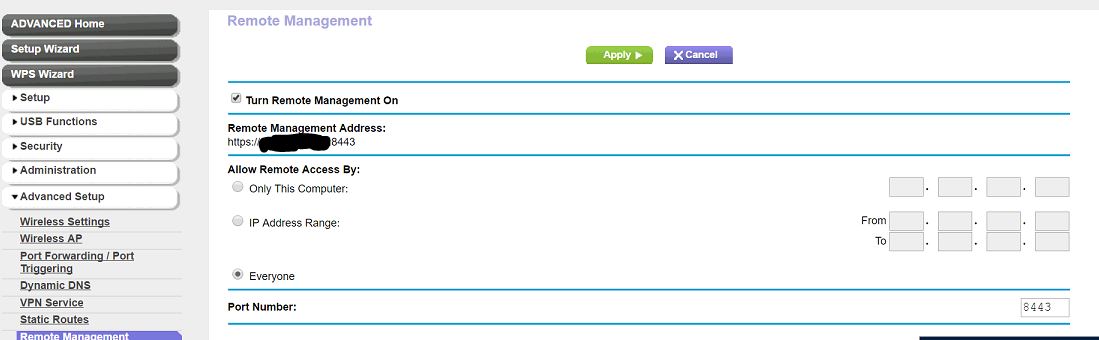
Here are pics from the netgear router I setup at my parent's house, netgear R7900 model, but identical to the R6900 model at my California flat. Note on the bottom image of remote management, it uses format https://XX.XXX.XX.XX:8443
GearNetRouter
Jun 02, 2017Virtuoso
So you should use the hostname you selected and as displayed under the Dynamic DNS tab. If so, I can't explain why it doesn't work. It should.
- schumakuJun 02, 2017Guru - Experienced User
GearNetRouter wrote:
Firstly, you should limit access not select everyone. You should isolate it to the IP at the location (Thailand) where you are now. I'm assuming it won't change and should not unless you reboot your modem etc. and this would be for short term use. IMO its the best security practice to follow.
Wonderful theory - this might be workable when you travel to a business site where you execlty know the public IPv4 address the remote access attempt will originate from. One might guess users want to access the router (for wahtever purpose) from everywhere, from the mobile phone 4G provider, from the public WiFi hotspot, ...
An alternate way to manage the router form remote (to some extent at least) would be using the Genie App (oOS, Android, Windows, mac OS) - where the remote access must be configured while your mobile device is connected to the local (W)LAN - and for this there is no open port and a DDNS entry required. On the small mobile phones/tablet Apps, the Internet IP address can be discovered in the Network Map.
- nodaicragJun 02, 2017Aspirant
I tested and was able to remotely access my parents router I setup in NY. The only things that are different is 1) Time Warner vs Comcast 2) I changed part of the LAN IP (I think it's LAN setting) address to 3, I mean 192.168.3.1 to make the NY VPN to work.
