NETGEAR is aware of a growing number of phone and online scams. To learn how to stay safe click here.
Forum Discussion

AngelaV
Feb 09, 2017Aspirant
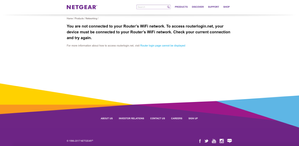
"routerlogin.net" keeps saying I must be connected to my router's WiFi, even though I am
I was having connectivity issues with my Verizon Fios router. They sent out a technician and the problem was fixed. After my netgear wifi router was reset, I attempted to go to "www.routerlogin.com" ...
- Feb 22, 2017There was a white cable running from the FIOS to the NetGear. It's showed in the old pictures. The new pictures is how it's currently configured and it's worked like a dream since the removal of the white cable.
So to anyone with the same issues as mine, check your cables and make sure there aren't extras. All that's needed is the Ethernet cable connecting the FIOS router to the NetGear and the plug in from the NetGear to the outlet. Make sure you reset when removing a stray, unnecessary cable. It worked for me.
AngelaV
Feb 09, 2017Aspirant
Yes, the Verizon is the modem/router. And I did indeed follow the order as written: everything off, turn on modem and wait a few minutes, turn on NetGear and wait a few minutes, then turn on computer.
I wanted to change the name and password because I have extenders that are already connected to the previous name. It would've made my life easier if I got the router login to work. I also have a ridiculous default password that I would prefer not to have. Especially since my parents can't even remember the last one we had.
But I'm coming to the end of my rope. I'll probably have to deal with it, which is disappointing considering how expensive this NetGear equipment was.
I wanted to change the name and password because I have extenders that are already connected to the previous name. It would've made my life easier if I got the router login to work. I also have a ridiculous default password that I would prefer not to have. Especially since my parents can't even remember the last one we had.
But I'm coming to the end of my rope. I'll probably have to deal with it, which is disappointing considering how expensive this NetGear equipment was.
William10a
Feb 09, 2017Master
Please follow the logic
1= When you log in wireless you get the modem/router not the netgear router.
2= When the modem/router was install they want you to use their router as your main router (Bright House) a seprate rental fee for the modem and another if you use the router function as well which is a rap off.
3=You need only the netgear to be your wifi router so the router in your modem has to lose it's wifi.
4= If your modem is in bridge mode it's router is disable but allowing you to have the internet.
5=The biggest problem the amount of control your allowed over the modem most limit to you to just a few basic settings by your isp but they can handle the bridge mode part.
6 When the netgear router can access by wifi wired is better you set up your network the way you want it.