NETGEAR is aware of a growing number of phone and online scams. To learn how to stay safe click here.
Forum Discussion

AngelaV
Feb 09, 2017Aspirant
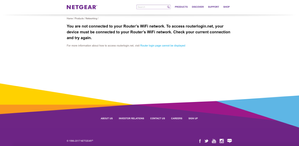
"routerlogin.net" keeps saying I must be connected to my router's WiFi, even though I am
I was having connectivity issues with my Verizon Fios router. They sent out a technician and the problem was fixed. After my netgear wifi router was reset, I attempted to go to "www.routerlogin.com" ...
- Feb 22, 2017There was a white cable running from the FIOS to the NetGear. It's showed in the old pictures. The new pictures is how it's currently configured and it's worked like a dream since the removal of the white cable.
So to anyone with the same issues as mine, check your cables and make sure there aren't extras. All that's needed is the Ethernet cable connecting the FIOS router to the NetGear and the plug in from the NetGear to the outlet. Make sure you reset when removing a stray, unnecessary cable. It worked for me.
AngelaV
Feb 10, 2017Aspirant
I don't recall this being talked about, and if that's the case then that means I had no idea what you were talking about. I have zero knowledge about tech (I still don't know what you mean by UI).
Verizon told us not to screw with their router much or we could lose our internet connectivity. They said the routers were in conflict and that's why the internet went down. I don't believe what they're saying but I'm also fearful of screwing with it too much because I will be charged if something goes wrong.
For your possible solution, at what point do I attempt to go to router login? At the end?
Verizon told us not to screw with their router much or we could lose our internet connectivity. They said the routers were in conflict and that's why the internet went down. I don't believe what they're saying but I'm also fearful of screwing with it too much because I will be charged if something goes wrong.
For your possible solution, at what point do I attempt to go to router login? At the end?

michaelkenward
Feb 10, 2017Guru - Experienced User
AngelaV wrote:
I don't recall this being talked about, and if that's the case then that means I had no idea what you were talking about. I have zero knowledge about tech (I still don't know what you mean by UI).
That's the "user interface". Usually it is the browser you use to get at things.
AngelaV wrote:
They said the routers were in conflict and that's why the internet went down.
That's what TheEther and Adewale are saying. The two boxes are fighting for control of your network.
Everything you connect to your own network has to have a local address so that the network knows which device it is talking to. (That address is the IP Address.)
One of those boxes has to be in charge of handing out local addresses. Ideally it is the router. But if the modem thinks that it is in charge, then the router can get confused.
The link you first tried, www.routerlogin.com, is really just a local address on your network. (As Adewale says, it is usually the same things as typing in 198.162.1.1.)
The problem is that other router makers also use that address: 192.168.1.1
So, with two devices, where should the browser go when you type that in?
When everything is working as planned, those addresses will take you to the "user interface" of your router. It is just a set of web pages that let you fill in various settings. That is also where you set up the wifi SSID and passwords.
The trouble seems to be that the conflict between the Verizon Fios modem/router and the router means that www.routerlogin.com isn't pointing anywhere. Someone stuffed up the letterbox.
The conflict between the Verizon Fios modem/router and the Netgear router is why Adewale suggested disconnecting the router from the modem and then working on the router on its own.
Re: "routerlogin.net" keeps saying I must be conne... - Page 2 - NETGEAR Communities
You can do that, change any settings you want, and then plug it back into the modem.
Earlier on I explained how the modem and router might have started fighting over who is in charge. (It is down to the order in which you started things.)
I also gave you one strategy that can restore harmony to these devices:
Re: "routerlogin.net" keeps saying I must be conne... - NETGEAR Communities
Before you do any of those things, you'll probably have to reset the router to its factory settings. That's just a way of saying you need to tell it to forget the stuff that is confusing it.
It isn't obvious to me that you have done what is probably the simplest thing of all. Reset it to the factory settings, and then follow the instructions in the setup guide.
I have just noticed that as far as I can see you haven't said what the model number of your Netgear router is. I ask because I wanted to give you a link to the setup guide.