NETGEAR is aware of a growing number of phone and online scams. To learn how to stay safe click here.
Forum Discussion

AngelaV
Feb 09, 2017Aspirant
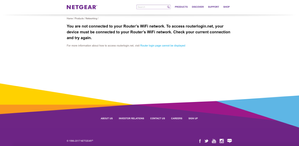
"routerlogin.net" keeps saying I must be connected to my router's WiFi, even though I am
I was having connectivity issues with my Verizon Fios router. They sent out a technician and the problem was fixed. After my netgear wifi router was reset, I attempted to go to "www.routerlogin.com" ...
- Feb 22, 2017There was a white cable running from the FIOS to the NetGear. It's showed in the old pictures. The new pictures is how it's currently configured and it's worked like a dream since the removal of the white cable.
So to anyone with the same issues as mine, check your cables and make sure there aren't extras. All that's needed is the Ethernet cable connecting the FIOS router to the NetGear and the plug in from the NetGear to the outlet. Make sure you reset when removing a stray, unnecessary cable. It worked for me.
AngelaV
Feb 10, 2017Aspirant
My Internet just crashed again so I can't even access the router login anymore. I suppose I have nothing to lose now and will attempt to disconnect the cable between FIOS and NetGear and do a reset of NetGear. I'll let everyone know if it works or not.
William10a
Feb 10, 2017Master
Good luck which modem/router did you recieve from your isp?
Have they check the event log check on the modem it is a log of errors recorded on the modem it's self to see why it is dropping the internet.
 StephenBFeb 10, 2017Guru - Experienced User
I also use FIOS. If you are using FIOS and their cable TV, then you need to use their router first. Their router is providing the program guide, video on demand to their set top boxes, and is needed with their DVR.
You connect the ethernet cable from the FIOS ONT to the FIOS router's internet/wan port. Then connect a second ethernet cable from one of the FIOS router's LAN ports to the Netgear router's Internet port. Then connect the PC ethernet to one of the Netgear router's LAN ports.
If you have this set up correctly, then you should be able to access the Netgear router's web page by entering http://10.0.0.1 in your web browser, and you should be able to reach the FIOS router by entering http://192.168.1.1 in your web browser. You should also be able to reach the internet.
Using both routers back-to-back is called double-NAT. It works, but some advanced features (like port forwarding) become more complicated to set up. I use double-NAT myself, but if you wish you can turn off the routing features in the Netgear router by switching to "access point mode". This means you'd use if tor wifi, but not for routing. There is a guide here: https://kb.netgear.com/24104/How-do-I-change-my-Nighthawk-router-to-AP-mode-after-I-ve-already-run-setup?cid=wmt_netgear_organic. I recommend getting the double-NAT setup working first though.
- michaelkenwardFeb 10, 2017Guru - Experienced User
Whoopee. Someone who has the right kit and knows how to use it.
Please, AngelaV pay attention to StephenB.
The rest of us are flailing around in the dark.
- William10aFeb 10, 2017Master
Now it makes sense from what I found on youtube the modem/router is 192.168.1.1 address and no wonder the netgear never saw the normal address that one would use to log in to it. The new address ip address of the netgear was never shown in the youtube videos that I found on youtube.
- StephenBFeb 10, 2017Guru - Experienced User
William10a wrote:
Now it makes sense from what I found on youtube the modem/router is 192.168.1.1 address
It's not really a modem, it's a router that has a gigabit ethernet WAN connection plus a coax connection. The coax and gigabit are bridged, and IP services are provided to the coax TV devices by the router.
There's more than one router that they use (my current one is a FiOS-G1100). They do default to the 192.168.1.x address space, and the coax devices start at 192.168.1.100.
- William10aFeb 16, 2017Master
Can you help StephenB the train has left the tracks and you since you seem to know about this setup please post a guide sheet with step by step directions to get it working this issues seems to be going in circles and getting no where very fast. Post 2017-02-14 03:3pm has pictures of the setup they have as that date.
- michaelkenwardFeb 16, 2017Guru - Experienced User
The Quick Start guide for the Nighthawk X8 AC5300 Tri-Band WiFi Router Model R8500 is here:
R8500 | Product | Support | NETGEAR
It has very clear step-by-step instructions with diagrams of what to connect, where to connect it and when to connect it.
It clearly makes sense to reset the R8500 to its factory settings before going through those steps.
