NETGEAR is aware of a growing number of phone and online scams. To learn how to stay safe click here.
Forum Discussion

AngelaV
Feb 09, 2017Aspirant
"routerlogin.net" keeps saying I must be connected to my router's WiFi, even though I am
I was having connectivity issues with my Verizon Fios router. They sent out a technician and the problem was fixed. After my netgear wifi router was reset, I attempted to go to "www.routerlogin.com" ...
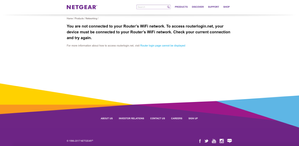
- Feb 22, 2017There was a white cable running from the FIOS to the NetGear. It's showed in the old pictures. The new pictures is how it's currently configured and it's worked like a dream since the removal of the white cable.
So to anyone with the same issues as mine, check your cables and make sure there aren't extras. All that's needed is the Ethernet cable connecting the FIOS router to the NetGear and the plug in from the NetGear to the outlet. Make sure you reset when removing a stray, unnecessary cable. It worked for me.
AngelaV
Feb 12, 2017Aspirant
So my ONT (which, from my internet searches, is the bulky box Verizon installed on my wall) is too far from the computer to get an Ethernet cable connected. But most importantly, there's no way to connect an Ethernet cable to it. It doesn't have an opening for any cables to be connected to it. Plus, I believe my ONT is much smaller than you expected because it doesn't provide cable.
UPDATE: I miraculously got into the router login on my iPhone, through the Genie app. I changed the name and password quickly. It worked (and I couldn't go back into the setting afterward so it was pure luck). Now, the NetGear wifi just isn't working. We connect to the network but it's so slow that the connection times out. So changing the name and password, which was my original goal, has now caused the wifi to crash.
UPDATE: I miraculously got into the router login on my iPhone, through the Genie app. I changed the name and password quickly. It worked (and I couldn't go back into the setting afterward so it was pure luck). Now, the NetGear wifi just isn't working. We connect to the network but it's so slow that the connection times out. So changing the name and password, which was my original goal, has now caused the wifi to crash.
- William10aFeb 12, 2017Master
From I could find the ont could be a big box to a small box inside or outside but it be near a source of power can you take a picture and maybe find a model and make?
- AngelaVFeb 12, 2017Aspirant
My ONT is a small box inside of our home (in our living room), near a wall outlet. It's in the same room as our FIOS router but they're on opposite sides.
- William10aFeb 12, 2017Master
I would not think the ont has a thing to do with your problem all it is a device to change optic to lan and wired phone jacks and may be tv if you there tv service.
Lets get back to basic setup
1 off the ont you have your isp issue modem/router
2 your netgear router from your isp modem/router
3 you started with just being unable to access the netgear's set up pages you loged into the isp's instead
4 now you still have the first problem but also no wifi now from the post I saw
Is this where it stands?