NETGEAR is aware of a growing number of phone and online scams. To learn how to stay safe click here.
Forum Discussion

AngelaV
Feb 09, 2017Aspirant
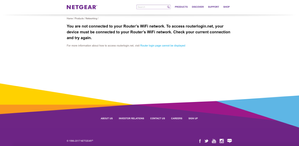
"routerlogin.net" keeps saying I must be connected to my router's WiFi, even though I am
I was having connectivity issues with my Verizon Fios router. They sent out a technician and the problem was fixed. After my netgear wifi router was reset, I attempted to go to "www.routerlogin.com" ...
- Feb 22, 2017There was a white cable running from the FIOS to the NetGear. It's showed in the old pictures. The new pictures is how it's currently configured and it's worked like a dream since the removal of the white cable.
So to anyone with the same issues as mine, check your cables and make sure there aren't extras. All that's needed is the Ethernet cable connecting the FIOS router to the NetGear and the plug in from the NetGear to the outlet. Make sure you reset when removing a stray, unnecessary cable. It worked for me.
AngelaV
Feb 13, 2017Aspirant
I don't understand what you mean by plug Verizon Modem to NetGear Internet Port.
We attempted moving the cables as suggested earlier and all that happened was the Internet slowed or even stopped. So we put it back. NetGear Genie popped onto our screen and asked us if we wanted to switch to "Router Mode". We tried to do it but I wasn't sure what to enter in the fields they asked for.
So we're just leaving everything as it, because the Internet works. Thank you for your time and help.
We attempted moving the cables as suggested earlier and all that happened was the Internet slowed or even stopped. So we put it back. NetGear Genie popped onto our screen and asked us if we wanted to switch to "Router Mode". We tried to do it but I wasn't sure what to enter in the fields they asked for.
So we're just leaving everything as it, because the Internet works. Thank you for your time and help.
- William10aFeb 13, 2017Master
I should said plug to lan cable in the wan port sometimes I think in short cuts and forget that have worked many of electronics and electric wiring I get the word mixed up sometimes as many mean the something in different fields.
- michaelkenwardFeb 13, 2017Guru - Experienced User
AngelaV wrote:
I don't understand what you mean by plug Verizon Modem to NetGear Internet Port.StephenB explained it when you said:
The only cable connected is a white cable. From "Aggregate 1" on NetGear to LAN 4 on FIOS.That's wrong. The Netgear router isn't seeing the INternet. It is just a part of local network with the Verizon box.
There's a yellow socket on the back of the router that says Internet. That's the socket for the Verizon modem.
As StephenB wrote:
It needs to go to the internet port - which should be yellow. It's on the far left as you are looking at the back of the router.You may well have the Internet, but your Network will not behave as expected unless you wire it up correctly.
Did you ever find this page?
Maybe you have a different modem from those in the illustrations.
There's a page with links to Verizon manuals here:
Fios user manuals - Fios Internet | Verizon
@Again StephenB explained how it should be some days ago when he wrote:
You connect the ethernet cable from the FIOS ONT to the FIOS router's internet/wan port. Then connect a second ethernet cable from one of the FIOS router's LAN ports to the Netgear router's Internet port. Then connect the PC ethernet to one of the Netgear router's LAN ports.
- William10aFeb 13, 2017Master
I sorry that I confused some people with the term wan(Internet)port that's the way I learn it I guess some teachers use different terms.
Wan means wide area network to me and lan is a local area network I guest these terms may be old school today.
