NETGEAR is aware of a growing number of phone and online scams. To learn how to stay safe click here.
Forum Discussion

whooops61
Mar 03, 2022Tutor
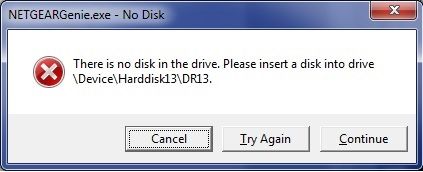
There is no disk in the drive...
When I start up my PC, I now get a loud thunk sound with this message... "There is no disk in the drive. Please insert a disk into drive \Device\Harddisk13\DR13." Any one know what mig...
 Mar 16, 2022
PROBLEM SOLVED...
In Netgear genie, Go to "My Media" tab on the left...
Click on the "Settings" tab on the right...
Now make sure your "Video, Audio & Picture" destinations are all valid.
My Default Video Folder was set to O:/ however I do not have an "O" drive on my system thus giving me an error message on startup.
Life is good again!
whooops61
Mar 05, 2022Tutor
No I am not having hard drive issues, thanks.
I understand this is not support. I was only asking to see if anyone else is having this issue with NETGEAR Genie. Netgear support does not cover this topic and directed me here.

plemans
Mar 05, 2022Guru - Experienced User
If you uninstall it, does it still make the sound and give you the error?
(not re-install, just uninstall.)