NETGEAR is aware of a growing number of phone and online scams. To learn how to stay safe click here.
Forum Discussion

MarkTarone
Nov 12, 2022Follower
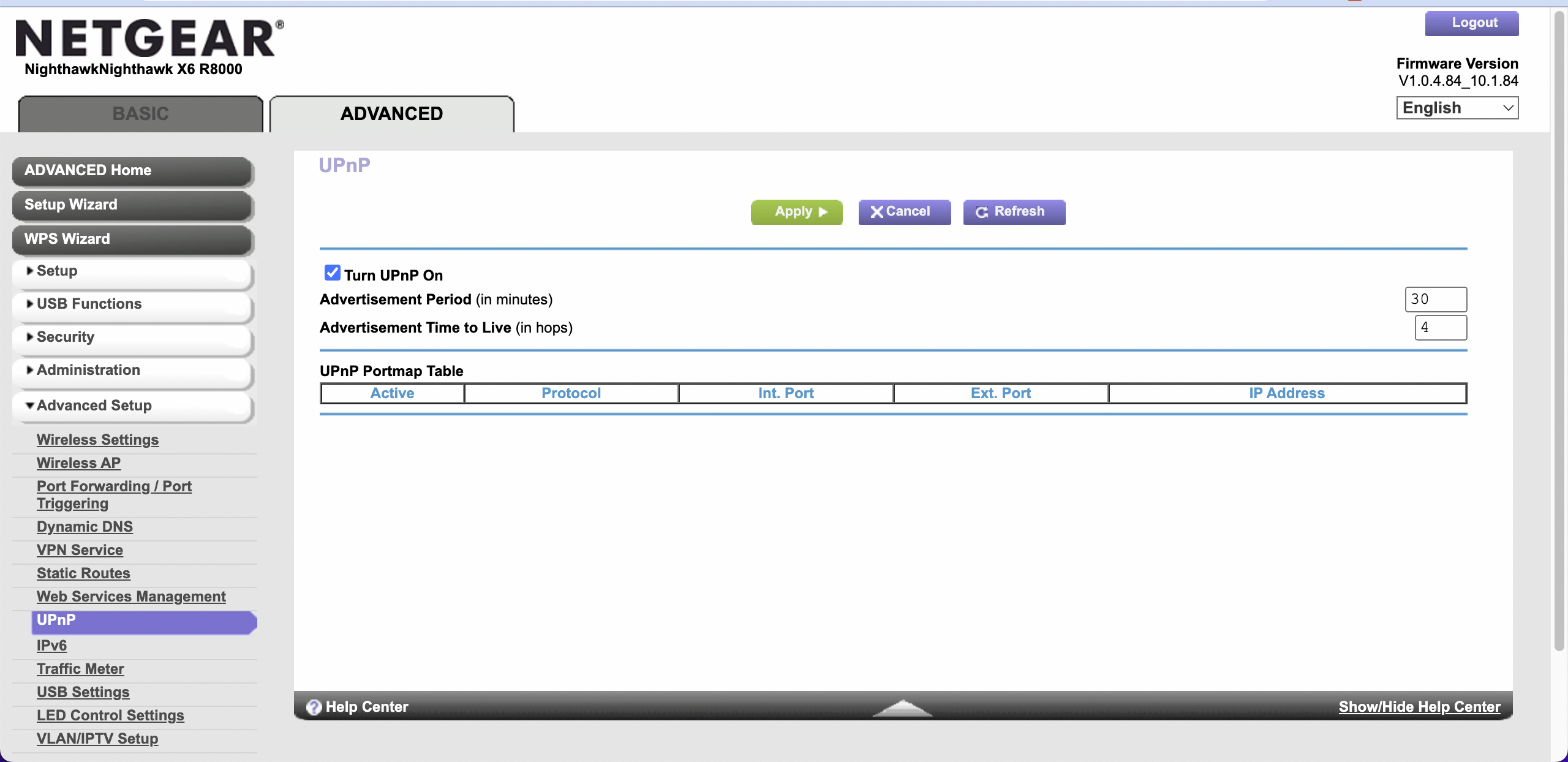
UPnP Portmap Table - Empty / Blank - Netgear Nighthawk X6 AC3200 Router
I'm looking for help getting UPnP to work on my router. I'm seeking to remotely access a music server ("sonictransport" - wired device #1 on this screenshot) that is on my network. The music software that I am using to connect to this server remotely continually returns an error message. I took multiple actions on my router, but none resolved the issue.
Router: Netgear Nighthawk X6 AC3200
Firmware: V1.0.4.84_10.1.84 (updated today)
Action #1: I updated the firmware of the router today. The firmware is now current.
Action #2: I turned off UPnP on my router. Thereafter, I re-activated UPnP (see attached UPnP screenshot confirming this feature is active). I waited over an hour and refreshed the table several times.
My music software is still unable to remotely connect to my music server.
Here is the error message my music software receives:
{
"connectivity": {"status":"NetworkError","status_code":504,"error":"error: Error: ETIMEDOUT, response code: undefined, body: undefined connected? undefined"},
"external_ip": {"actual_external_ip":"98.aaa.bbb.ccc","router_external_ip":"null"},
"natpmp_autoconfig": {"status":"NotFound"},
"upnp_autoconfig": {"status":"NotFound"}
}
Here is the list of attached devices my Netgear router displays and my UPnP portmap table after taking the above actions.
Attached Devices
https://app.box.com/s/korch9gkqv1c2un9p2i282mgpsvjr47x
My UPnP Portmap Table
https://app.box.com/s/6f9mzwp00nxik0e3u7amud2ca9yvgg4f
While this router is seven years old, it still meets all my needs except for this UPnP issue.
I hope someone can help me resolve this issue so that I can keep this router out of a landfill and prevent me from having to buy a new router simply to get UPnP working properly.
Thank you for your attention and assistance! -Mark
1 Reply
- FURRYe38Guru - Experienced User
Is this seen as well in different browsers?
Has a factory reset and setup from scratch been performed since last FW update?
What is the Mfr and model# of the Internet Service Providers modem/ONT the NG router is connected too?
Checking mine with a Xbox game console, it's appearing in the uPnP web page for me using MS Edge: