NETGEAR is aware of a growing number of phone and online scams. To learn how to stay safe click here.
Forum Discussion

gmjorda2
Mar 08, 2022Aspirant
Wifi will not activate on Nighthawk R7000
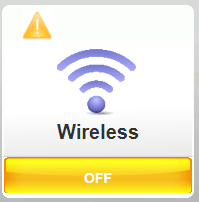
Seems I have the same issue as many others, but so far can't find a working solution so here goes! Bought the R7000 at the beginning of COVID and it has worked well since. Moved to a new place rece...

FURRYe38
Mar 08, 2022Guru - Experienced User
Does the actual SSID Broadcast name appear on any wifi device?
I presume if the SSID broadcast does not remain or can't be seen on any wifi devices, the wifi radios maybe faulty or has gone bad.
You might try a FW downgrade to something older, saw v.34 and see. If this problem continues there as well, the wifi radios have probably gone bad. If so, You can fully disable the radios in the routers web page and then connect up a ethernet connected wifi system as a wifi upgrade if you want keep the router portion running as a alternative suggestion.
gmjorda2
Mar 08, 2022Aspirant
The SSID doesn't show up on anything, sounds like it's just dead. For the second part, you mean plug a new router or signal booster into the old router to act as a new radio?
- FURRYe38Mar 08, 2022Guru - Experienced User
Yes. Many NG routers or EX 7700 or EX8000 have AP modes which work like built in wifi in routers. When the built in radio seems to go bad, doesn't mean the router portion is bad...so you can add something else. You can even install a Nighthawk MK series or Orbi Mesh system in AP mode if you want something mesh supporting. Continue to use the router portion of the R7000.