NETGEAR is aware of a growing number of phone and online scams. To learn how to stay safe click here.
Forum Discussion

Larskrull
Dec 20, 2020Tutor
X6 R8000 Speed
I Know that some threads have been about this subject before - But none of the solutions I have been able to implement. Problem.: I have my router R8000 X6 in bridge mode i have a connection 1GB/1GB...
Larskrull
Dec 20, 2020Tutor
Thanks for picking up on my thread much appriciated !
My ISP modem is in Bridge mode. My netgear router is normal router mode and has been so for years - I just happen to nocyice that spped has gone down as described above. Today I check and troubleshooted that se spped reduction is made with in the R8000?
The speed loss is seen on cabled connections - But the ISP is delivering normal speed 1GB/1GB ??
Any helt would be appriciated !

plemans
Dec 20, 2020Guru - Experienced User
What ISP gateway is it?
Do you use access control, traffic monitoring, parental controls, or qos on the R8000?
If you do (or ever did) factory reset the r8000 and manually reinstall it (not from a backup). during install make sure NOT to enable any of those services.
- LarskrullDec 20, 2020Tutor
I switched of traffic monitoring but that does not help! I would rather (if possible) avoid to factory reset, since I have a long row of port forwardings (cameras + alarm) - And SPEED was normal until resently with ALL this set!
I could factoryreset if needed (and manually tap in my 16 portforwardings)- But what shoudl that HELP - is that not a bit unlogic.
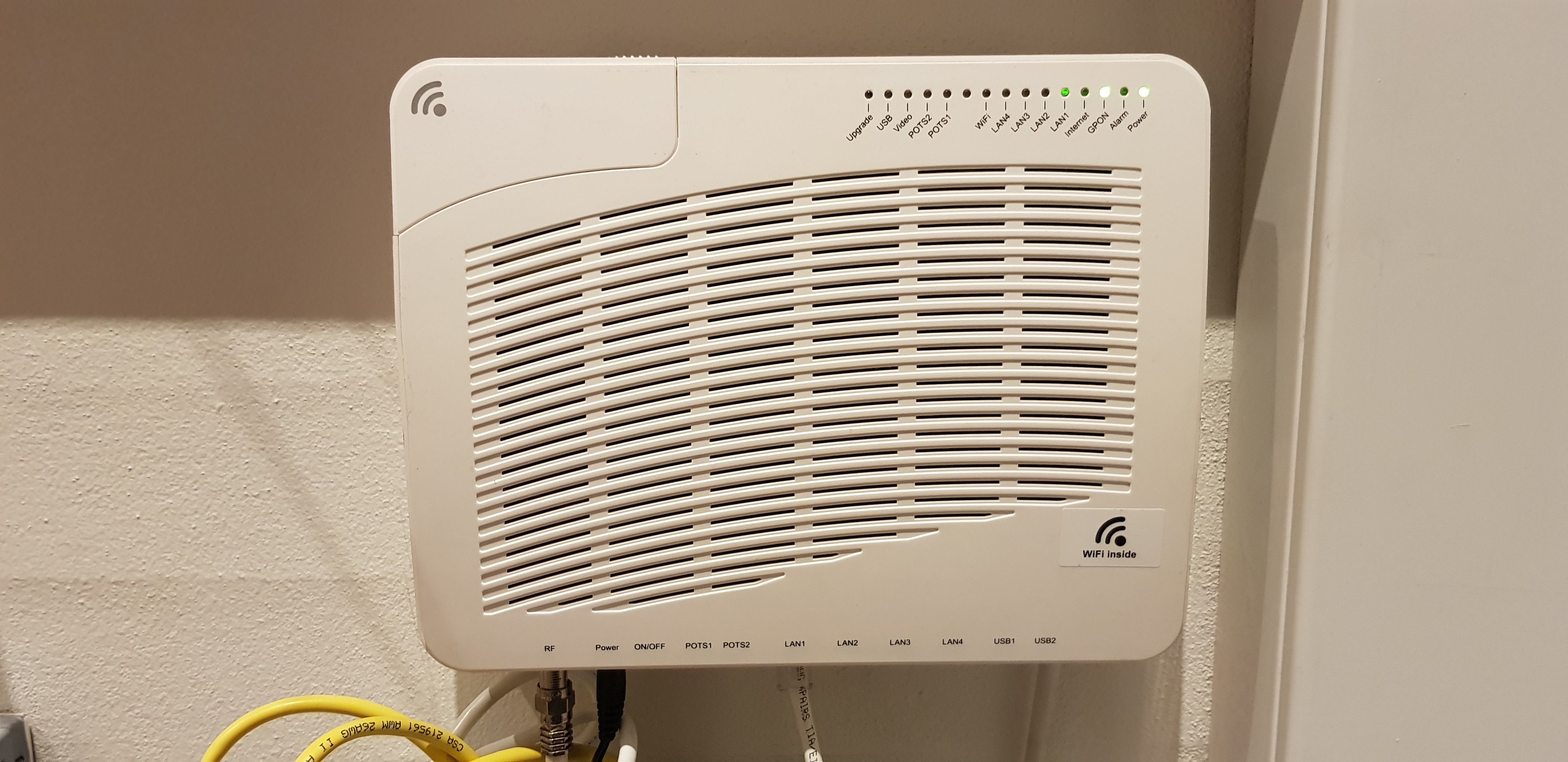
My ISP is a danish Fibercompany "Stofa.dk" - And my ISB modem wich is in bridge mode (always has been) I have enclosed a photo of this one
- plemansDec 20, 2020Guru - Experienced User
Larskrull wrote:I switched of traffic monitoring but that does not help! I would rather (if possible) avoid to factory reset, since I have a long row of port forwardings (cameras + alarm) - And SPEED was normal until resently with ALL this set!
I could factoryreset if needed (and manually tap in my 16 portforwardings)- But what shoudl that HELP - is that not a bit unlogic.----Reason why we say factory reset and clean install is that when gigabit routers first came out and several years afterwards, they didn't have the cpu power to hit gigabit speeds. How they did it was using cut through forwarding (ctf) or a version of it depending on cpu. its automatically passed all traffic through. but the problem happens when you have traffic monitoring, access control, parental controls, or qos enabled. Reason why is it has to inspect the traffic so CTF gets disabled and the cpu is back to having to look at all the traffic. And its not powerful enough if you have speeds >250mbps. Sometimes even after disabling those services and rebooting a router, ctf still doesn't get re-enabled. Which is why we say try a facotry reset. Its sucks to do when you have a bunch of port forwarding rules.
My ISP is a danish Fibercompany "Stofa.dk" - And my ISB modem wich is in bridge mode (always has been) I have enclosed a photo of this one----
Another option you can try is downgrading the firmware and rebooting (making sure to disable those 4 features). Maybe a firmware upgrade to the router caused the issues. Its worth a shot before a full factory reset. I always recommend any firmware changes be done over a hardwired connection.
- LarskrullDec 20, 2020Tutor
Thank your very much for dealing with my issue - I think I will one of the next days try a full factory reset and see what happens! The Router is from "late" 2016 and your point of too tittle processing capacity sounds sensible!
I will keep you posted!Thank you very much !