NETGEAR is aware of a growing number of phone and online scams. To learn how to stay safe click here.
Forum Discussion

fbeinfo
Nov 10, 2024Guide
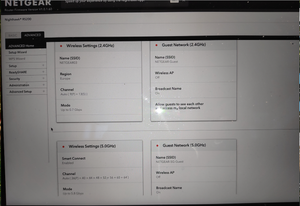
Nighthawk Rs200 - no WIFI after Reboot - Internet via LAN ok
Hi all the problem is at a Nighthawk RS200 - The configuration iwth my provider here in Luxembourg worked fine. VLAN TAG - is used here for orange.lu now.... some fine tuning has been done and i...
- Nov 16, 2024
The problem seems to have been solved.
After a 2-hour phone call with the English-speaking support team, the problem disappeared (although this was probably a coincidence after a factory reset). The router probably assigned the IPs randomly so that there was no longer a conflict. As I have now been able to find out, it was most likely an IP conflict in the WLAN as both static and dynamic IPs are assigned in my network. However, the DHCP assignment referred to the entire address range. This most likely led to the said conflict - which then “deactivated” the WLAN - this also happened to me with competitor products. Furthermore, there was another 2 router in the network which was also configured as a router instead of an AP - but with DHCP..... switched off.
Please close the case 48659368.
Translated with DeepL.com (free version)
fbeinfo
Nov 16, 2024Guide
The problem seems to have been solved.
After a 2-hour phone call with the English-speaking support team, the problem disappeared (although this was probably a coincidence after a factory reset). The router probably assigned the IPs randomly so that there was no longer a conflict. As I have now been able to find out, it was most likely an IP conflict in the WLAN as both static and dynamic IPs are assigned in my network. However, the DHCP assignment referred to the entire address range. This most likely led to the said conflict - which then “deactivated” the WLAN - this also happened to me with competitor products. Furthermore, there was another 2 router in the network which was also configured as a router instead of an AP - but with DHCP..... switched off.
Please close the case 48659368.
Translated with DeepL.com (free version)

FURRYe38
Nov 18, 2024Guru - Experienced User
Glad you got it working. Please mark your thread as solved so others will know. Be sure to save off a back up configuration to file for safe keeping. Saves time if a reset is needed.
https://kb.netgear.com/24231/How-do-I-back-up-the-router-configuration-settings-on-my-Nighthawk-router
Enjoy. 📡